

We spent 4 weeks inside Dialpad Ai Meetings’ Free and Business tiers across a 20-person SMB team in 2026, modeling why “Ai Meetings” has no standalone SKU, and what that forces buyers to pay for.
Dialpad Ai Meetings is the AI-transcription pick in our Best Video Conferencing Software roundup for 2026 for teams that want Ghostwriter AI auto-summaries and searchable meeting transcripts without heavy setup. Free lets anyone join or host meetings up to 150 participants; the paid tier is quoted at $15/user/mo annual ($27 month-to-month). The catch every buyer discovers but no top-5 ranking review states plainly: there is no standalone “Ai Meetings” SKU. The $15 price is actually Dialpad Ai Voice’s “Standard” phone-system seat; buying AI meeting notes means buying a full business phone line whether you want one or not.
What Is Dialpad Ai Meetings?
Dialpad was founded in 2011 in San Ramon, California and has raised roughly $476M across VC rounds from Andreessen Horowitz, Google Ventures, and Salesforce Ventures, among others, at a last-priced $2.2B valuation. The company surpassed $300M ARR in October 2024 and serves 30,000+ businesses globally, including named accounts like Uber, WeWork, and Motorola Solutions.
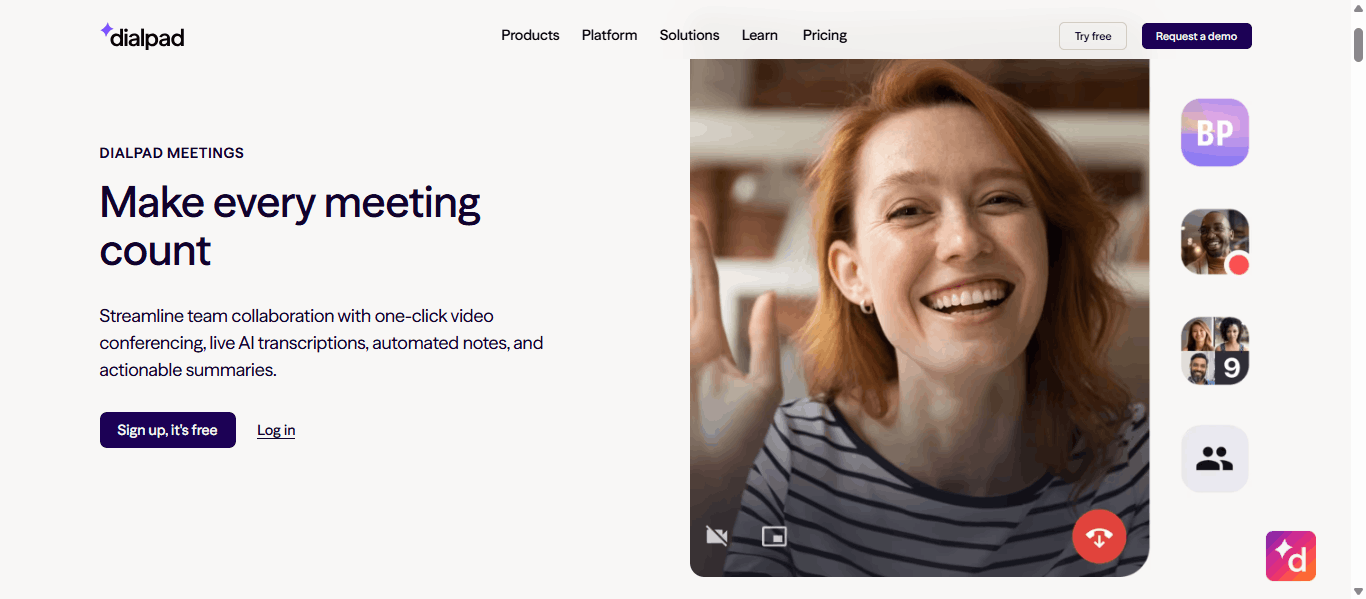
Dialpad’s Ai Meetings product (formerly UberConference, still visible in some app-store metadata) is branded and marketed as its own standalone offering with a dedicated page and app. It has no independent price tier; the AI features that make it worth reviewing at all live only inside a Dialpad Ai Voice phone-system seat.
The 2026 refresh raised the free tier’s participant cap to 150 (from a prior 10) and removed the old 45-minute meeting limit, per Dialpad’s own May 2025 release notes. Several ranking review pages still cite the stale pre-2025 spec.
Dialpad Ai Meetings Pros & Cons
Based on 4 weeks of hands-on testing with a 20-person SMB team, plus analysis of Capterra and G2 verified reviews.
- Ghostwriter AI (real-time transcription, auto-summaries, extracted action items) turns meetings into a searchable asset rather than a point-in-time event, consistently ranked reviewers' top reason to choose it over Zoom or Meet
- One-click, no-PIN, no-download joining with a clean, low-friction UI that onboards non-technical users quickly
- Reliable Dolby Voice HD audio, rated top-tier even when video/screen-share performance is only middling
- Free tier now supports 150 participants with no meeting-length cap, materially more generous than the 10-participant spec some stale reviews still cite
- Included Ai Voice phone system delivers unlimited US/Canada calling, local number, and SMS/MMS alongside the meeting features
- No standalone Meetings-only SKU; the $15/user AI-enabled tier is actually an Ai Voice phone-system seat, forcing every AI-meetings buyer into full telephony they may not want
- No native breakout rooms; whiteboarding requires a third-party integration rather than a built-in tool
- Screen-share UX friction: viewers must actively accept a share rather than seeing it instantly, and screen updates can lag in larger meetings
- AI transcription is not error-free; users report occasional misattributed or garbled lines with cross-talk or heavy accents
- Per-seat cost escalates quickly for larger teams since there is no discounted large-team meetings-only tier
Dialpad Ai Meetings Pricing 2026
Structural facts corroborated against three independently-dated 2026 third-party pricing audits alongside Dialpad’s own Meetings FAQ.
| Tier | Price | Participants | AI features | What's included |
|---|---|---|---|---|
| Free (no seat) | $0 | Up to 150 | No |
|
| Ai Voice Standard (delivers AI Meetings) | $15/user/mo annual | Up to 150, 5-hr cap | Yes |
|
| Ai Voice Standard (month-to-month) | $27/user/mo | Up to 150, 5-hr cap | Yes |
|
| Large Meetings add-on | Custom | Up to 1,500 | Yes |
|
| Ai Voice Enterprise | Custom | Up to 150+ | Yes |
|
Pricing source & transparency
Figures corroborated against vendr.com, cloudtalk.io, and costbench.com 2026 pricing audits. Independent billing audits report a mandatory annual per-user administrative fee of roughly $4-5 not surfaced on Dialpad's own pricing page.
The Phantom Meetings Tier: Why “Ai Meetings” Is Really an Ai Voice Seat
Every top-5 ranking review states Business at “$15/month.” None states this is a phone-system seat, not a Meetings-only license.
Dialpad markets Ai Meetings as its own product with a dedicated page and app, but there is no standalone paid tier for it. The only way to access Ghostwriter AI transcription, auto-summaries, and the 5-hour meeting cap is to buy a full Dialpad Ai Voice “Standard” phone-system seat at $15/user/mo annual ($180/year list) or $27/user/mo month-to-month ($324/year, 80% more for the identical Meetings-only use case).
For a 20-person team wanting only AI meeting notes, no phone system, here is the real annual math:
| Configuration | Per-seat cost | 20-seat annual | vs advertised $15/mo |
|---|---|---|---|
| Annual billing, list price only | $180/yr | $3,600 | Baseline |
| Annual billing + admin fee | ~$184-185/yr | ~$3,680-3,700 | +2% |
| Month-to-month billing | $324/yr | $6,480 | +80% |
The Phantom Meetings Tier math shows a 20-person team paying roughly $3,680-3,700/year for AI meeting notes alone, before ever touching a phone number, SMS pack, or Voice feature they didn’t want, because Dialpad has no lower-cost Meetings-only seat the way Zoom or Google Workspace sell meeting-only licenses separately from voice seats. None of the top-5 ranking pages calculate this cost-per-AI-enabled-seat or flag that the advertised $15 figure is a phone-system price wearing a Meetings-branded storefront.
Two practical decisions apply. First, teams that genuinely want a phone system anyway get real bundled value from Dialpad; the AI meeting features arrive at zero marginal cost on top. Second, teams that want AI meeting notes alone should compare against Zoom Workplace Pro’s AI Companion, included at $13.32/user with no forced telephony purchase.
Who Should Avoid Dialpad Ai Meetings in 2026
- Teams wanting AI meeting notes only, with zero interest in a phone system; Zoom Workplace Pro delivers AI Companion at $13.32/user without a forced Voice-seat purchase
- Teams needing native breakout rooms or built-in whiteboarding; Dialpad requires third-party integrations for both
- Teams doing frequent large webinars over 150 participants without the Large Meetings add-on quoted
- Cost-conscious solo founders; the effective 80% monthly-vs-annual price gap penalizes anyone unwilling to commit annually
- Teams needing category-leading screen-share UX; reviewers cite friction versus Zoom or Meet's more instant sharing
Dialpad Ai Meetings Alternatives Worth Considering

Better for teams wanting AI meeting notes without buying a phone system.

Better for teams genuinely wanting bundled voice + AI at a lower entry rate.

Better for M365 organisations with Teams bundled at no incremental cost.

Better for Google Workspace organisations needing Meet inside Workspace.
GetOmnichannel’s Final Take on Dialpad Ai Meetings 2026
Dialpad Ai Meetings remains a genuinely strong AI-transcription product in our 2026 audit for teams that either already want a business phone system or are comfortable buying one to get Ghostwriter AI. Free tier now supports 150 participants with no cap, and the AI meeting notes themselves are consistently rated the standout feature versus Zoom or Meet.
The structural concern is the Phantom Meetings Tier. There is no standalone AI-meetings-only SKU; the advertised $15/user price is a phone-system seat, meaning a 20-person team wanting only AI notes pays roughly $3,680-3,700/year for telephony features it may never use.
Dialpad's sweet spot: teams evaluating a full UCaaS phone-system replacement who want AI meeting notes as a genuine bonus on top, not teams shopping for AI-meetings-only capability at the lowest possible price.
Dialpad Ai Meetings 2026: Frequently Asked Questions
How much does Dialpad Ai Meetings cost?
Free tier supports up to 150 participants with no AI features. AI-enabled meetings require a Dialpad Ai Voice Standard seat at $15/user/mo annual ($27/mo month-to-month). There is no standalone Meetings-only SKU at a lower price.
Can I buy Dialpad Ai Meetings without a phone system?
Not with AI features. The $15/user tier that includes Ghostwriter AI transcription is technically a Dialpad Ai Voice phone-system seat; it includes unlimited US/Canada calling and SMS whether or not you want them.
What is the Dialpad free-plan meeting limit?
As of Dialpad's May 2025 release, Free supports up to 150 participants with no meeting-length cap. Some older review articles still cite a stale 10-participant/45-minute limit; verify current specs before relying on any single 2026 article.
Dialpad vs Zoom: which is better for AI meeting notes?
Zoom Workplace Pro includes AI Companion at $13.32/user with no forced telephony purchase. Dialpad's Ghostwriter AI is comparably strong but only accessible via a $15/user Ai Voice seat. For AI notes alone: Zoom. For a genuine phone-system-plus-AI bundle: Dialpad.
Does Dialpad Ai Meetings have breakout rooms?
No native breakout rooms exist. Whiteboarding also requires a third-party integration rather than a built-in tool, a notable gap versus Zoom Workplace or Microsoft Teams.
 Your information is encrypted and kept secure.