

We tested 10 live chat platforms with real visitor traffic and priced every one for the same five-agent team. The advertised entry price rarely survives contact with a real team: per-seat billing, AI charged per conversation or per resolution, and entry plans capped at a single user push the real bill far higher.
The pricing page shows “from $19/month.” The invoice for a 5-agent team with AI chatbot features runs from about $900 to $6,300 per year depending on the platform. That gap is where this article lives.
Ten platforms. One team size: 5 agents. Every cost calculated including AI chatbot add-ons, CRM integration fees, and the overage charges vendors bury below the fold. If you’re comparing live chat tools this quarter, the table below saves you five pricing page tabs and an hour of spreadsheet math. Pricing in this guide was re-checked against vendor pricing pages in October 2026.
Best live chat software in 2026
Live chat software is a website widget plus agent inbox that connects visitors to your team in real time, usually alongside bots, ticketing, and CRM logging.
- Best overall value (SMB, ~5 agents): LiveAgent (4.5/5) — $900/year all-in; AI features are included on every plan, with chat, email, and social in one inbox.
- Best free: Tawk.to (3.7/5) — $0 base; $348/year to remove branding, $348/year for AI Assist.
- Best Shopify-native: Tidio (4.3/5) — from about $680/year with Lyro AI's 50-conversation tier.
- Best for product-led SaaS: Intercom (4.1/5) — $1,740/year in seats, about $2,928/year with 100 Fin resolutions a month.
Across this comparison, realistic five-agent totals run from $0 to $6,300 per year—not the $19/month headline on most pricing pages.
How we tested
Kinjal Trivedi ran hands-on checks on all ten platforms in September 2026. We installed each vendor's widget on test WordPress and Shopify storefronts, modeled five agent seats on annual billing, and added the AI chatbot or per-resolution fees each vendor publishes—not just the base plan line item.
We timed plugin or embed setup, ran scripted English support tickets through bot and agent queues, and compared all-in annual cost for the same team size. Rank order follows the weighted score explained in "How we scored each platform" below, using prices re-checked in October 2026; vendors cannot pay for placement on this list. Confirm pricing on the vendor site before purchase—tiers change often.
- HubSpot: Service Hub Starter now starts at $7/seat/month (annual), and free tools cover up to 2 users.
- Olark: now sells an AI Website Agent at $400/month (annual, first seat included) alongside its $29/seat human-only plan.
- ChatBot.com (LiveChat's bot): now priced per user—$19/user/month for 10 AI resolutions or $79/user/month for 200 (annual).
- Tawk.to: branding removal is $29/month; the AI Assist add-on starts at $29/month.
- Freshchat: Freddy AI Agent's 500 free sessions are a one-time trial per account; after that it's $49 per 100 sessions.
- Tidio: Lyro's entry tier is 50 AI conversations a month, from $32.50/month (annual); higher-tier prices aren't published.
- Intercom: Essential is $29/seat (annual), and Fin bills $0.99 per resolution.
What is live chat software, and why teams still buy it in 2026
Live chat software is a real-time messenger on your website or app. Visitors talk to your team or a bot without opening email or leaving the page. For most companies it handles support, captures leads, and keeps international visitors from bouncing when phone queues are full.
What live chat actually does
The widget sits in the corner of the site. When someone opens it, they get a mix of human chat and automation, depending on how you configured it.
- Real-time messaging: Two-way chat between customers and agents while they are still on the site.
- Automation: Bots answer routine questions, pull from your help center, and sometimes run simple tasks (trial extensions, booking links, routing rules). Quality varies by vendor; the marketing promise and the production bot are not always the same thing.
- Self-service in the thread: FAQs and articles can appear inside the chat so people resolve simple issues before an agent picks up the ticket.
- Lead capture: Pre-sales chats collect email, company size, or intent signals and can route hot prospects to sales.
Gartner expects self-service and live chat to overtake phone and email as the most valuable customer service technologies by 2027, based on a 2025 survey of 265 service leaders. Salesforce research found 57% of customers prefer digital customer service channels; slow or unhelpful chat still hurts loyalty as much as slow email.
For SaaS and growing teams, chat is often the default front door for support, not a side channel. That affects CSAT, how many agents you need, and whether support scales without hiring linearly.
Features worth prioritizing
Not every product ships the same depth. These are the areas that usually decide whether a tool fits.
- AI that can act, not only reply: Useful setups resolve common tickets, cite your knowledge base or past threads, trigger workflows (refunds, trial changes, handoffs), and pass full context when a human takes over.
- One inbox for many channels: Web chat, email, social, and sometimes Slack or SMS land in one queue so agents are not juggling five tabs. CRM ties (HubSpot, Salesforce, and similar) should show plan, history, and recent activity in the same pane.
- Copilot for agents: Draft replies, suggested answers from approved docs, and live translation reduce handle time without replacing judgment on edge cases.
- Knowledge base in the flow: Surfacing articles as the visitor types cuts repeat tickets and keeps agents on harder work.
- Widget control: Colors, position, greetings, light/dark themes, and behavior-based invites should be editable without a developer for day-to-day tweaks.
- Languages: If you sell globally, auto-detect and translate beats copy-pasting into a separate tool for every thread.
- Integrations: CRM (HubSpot, Salesforce, Pipedrive), product tools (Jira, Linear), Slack, and calendar or booking apps should sync so agents see context before they reply.
- No-code routing: Drag-and-drop rules for region, plan tier, topic, lead scoring, demo booking, tags, and follow-up emails keep coverage when the team is offline.
Why the tool choice matters
A bare chat bubble answers one question at a time. A proper platform ties chat to your CRM, help center, and routing rules so responses stay fast, on-brand, and useful when volume spikes.
- Seconds-level first reply where it matters
- Sensible behavior when nobody is online
- Language coverage for your markets
- Data flowing into sales and support systems as you grow from a small team to a larger org
| # | Platform | Our Score | Base (5 agents/yr) | AI Chatbot Cost | All-In Annual | Free Plan / Trial | Best For | Request a demo |
|---|---|---|---|---|---|---|---|---|
| 1 |  |
4.5/5 | $900 | AI features on every plan | $900 ($1,740 with call center) | No free plan · 30-day trial, no card | Best overall: AI + omnichannel on a budget | |
| 2 |  |
4.3/5 | $290 (100 conversations, 10 seats) | Lyro from $390/yr (50 AI conversations/mo) | From ~$680 | Free plan (50 conversations/mo) · 7-day trial, no card | Shopify stores wanting AI + chat | |
| 3 |  |
4.1/5 | $420 (Starter, $7/seat) | Basic bots included; Customer Agent on Professional+ | $420 ($0 for up to 2 users) | Free for up to 2 users | Teams already on HubSpot CRM | |
| 4 |  |
4.1/5 | $1,740 ($29/seat) | Fin AI $0.99 per resolution | $2,928 | No free plan · 14-day trial, no card | Product-led SaaS with in-app messaging | |
| 5 |  |
3.7/5 | $0 (free) | AI Assist from $29/mo | $0–$696 | Free forever | Bootstrapped startups, solopreneurs | |
| 6 |  |
3.6/5 | $1,140 | 500 one-time free sessions, then $49 per 100 | $1,728 | Free for up to 10 agents · 14-day trial (Enterprise) | SMB teams wanting a modern Freshworks inbox | |
| 7 |  |
3.5/5 | $1,566 ($26.10/seat) | 25 AI resolutions/mo included, then $0.85 each | $2,331 | No free plan · 14-day trial, no card | Shopify/WooCommerce multi-brand stores | |
| 8 |  |
2.9/5 | $3,300 | AI Copilot +$3,000/yr | $6,300 | No free plan · 14-day trial | Enterprise teams on Zendesk Suite | |
| 9 |  |
2.8/5 | $2,940 (Team; Starter is 1 user) | ChatBot.com from $948/yr (separate) | ~$3,888 | No free plan · 14-day trial, no card | Mid-market teams wanting 200+ integrations | |
| 10 |  |
2.7/5 | $1,740 (human-only) | AI Website Agent $400/mo | $1,740 or $6,192 with AI | No free plan · 14-day trial, no card | Human-first chat, accessibility-first |
| Category | Platform | Why we picked it | All-in annual (5 agents) |
|---|---|---|---|
| Best overall value | LiveAgent | AI features on every plan plus chat, email, and social in one ticketed inbox—the lowest-cost 5-agent setup with AI included. | $900 |
| Best free | Tawk.to | Unlimited agents and chats at $0; budget for optional branding removal if you want a white-label widget. | $0–$696 |
| Best Shopify | Tidio | Lyro AI plus cart triggers; 4.8/5 from 1,349 Shopify App Store reviews. | From ~$680 |
| Best AI | Intercom | Fin resolved about 40% of our scripted SaaS queue; you pay $0.99 only when it resolves a conversation. | ~$2,928 |
Pricing re-checked October 2026 on each vendor’s public pricing page, annual billing. AI costs assume roughly 100 AI-handled conversations a month. Tidio Starter is $24.17/mo for 100 conversations. LiveChat Starter ($19) covers one user only, so five agents need Team at $49/agent. Intercom Essential is $29/seat. Freshchat Growth is $19/agent, and Freddy AI Agent costs $49 per 100 sessions after a one-time 500-session trial. Tawk.to’s core product is genuinely free. Verify before signing.
The gap between cheapest and most expensive 5-agent setup: $6,300/year. For functionally similar core live chat features. The difference is AI, integrations, and whether the vendor charges per agent, per conversation, or per resolution.
How we scored each platform
Every platform gets a 0–5 score on five criteria, weighted by what matters most to a five-agent team. The overall score decides the rank order; ties go to the platform with the better value score.
| Criterion | Weight | How we score it |
|---|---|---|
| Value | 30% | 5-agent all-in annual cost with ~100 AI conversations a month: 5 = under $1,000 · 4 = under $2,000 · 3 = under $3,000 · 2 = under $4,000 · 1 = $4,000+ |
| AI | 25% | 5 = native AI agent with strong test results · 4 = native AI agent included or low-cost · 3 = AI billed per use or as a paid add-on · 2 = basic bots or a separate product · 1 = expensive AI only |
| Integrations | 15% | 5 = 300+ integrations or a full CRM/support platform · 4 = 200+ · 3 = 100+ or a strong ecosystem (Shopify, Freshworks) · 2 = a few core CRM connectors |
| Setup | 15% | 5 = live in under 15 minutes · 4 = under an hour, no code · 3 = needs configuration work · 2 = hours of admin setup |
| Channels | 15% | 5 = chat, email, voice, and social in one inbox · 4 = chat, email, and social/messaging · 3 = chat plus tickets or email · 2 = chat only |
| Platform | Value (30%) | AI (25%) | Integrations (15%) | Setup (15%) | Channels (15%) | Score |
|---|---|---|---|---|---|---|
| LiveAgent | 5 | 4 | 4 | 4 | 5 | 4.5 |
| Tidio | 5 | 4 | 3 | 5 | 4 | 4.3 |
| HubSpot Live Chat | 5 | 2 | 5 | 5 | 4 | 4.1 |
| Intercom | 3 | 5 | 5 | 3 | 5 | 4.1 |
| Tawk.to | 5 | 2 | 3 | 5 | 3 | 3.7 |
| Freshchat | 4 | 3 | 3 | 4 | 4 | 3.6 |
| Re:amaze | 3 | 3 | 3 | 4 | 5 | 3.5 |
| Zendesk Chat | 1 | 3 | 5 | 2 | 5 | 2.9 |
| LiveChat | 2 | 2 | 4 | 4 | 3 | 2.8 |
| Olark | 4 | 1 | 2 | 4 | 2 | 2.7 |
Olark’s value score uses its human-only price, because its low AI score already reflects the cost of the AI Website Agent.
Our test results: setup time and AI performance
These are the measurements from our September 2026 hands-on tests. We only list numbers we recorded ourselves—platforms without a timed setup or AI test aren’t included here.
| Platform | Setup time | AI result in our test | What we noticed |
|---|---|---|---|
| Tawk.to | Under 10 minutes | No AI on the free core | Widget loaded fast; agent dashboard basic but functional |
| Tidio | Under 15 minutes | Lyro's 50 AI conversations used up in 2 days on a store with 200 daily visitors | Lyro trained on the store's FAQ data automatically |
| LiveChat | 10 minutes to connect; 30 minutes with full workspace setup | Not tested (AI bot is the separate ChatBot.com) | Most polished agent workspace in the mid-market tier |
| Intercom | Not timed | Fin resolved ~40% of tier-1 tickets in our scripted SaaS queue | Answers cite help-center articles |
| Freshchat | Not timed | Solid on a 200-ticket English queue; noticeably weaker on Spanish queries | Test bilingual queues before you commit |
| Zendesk | 2–5 hours of admin setup | Not tested | Setup effort reflects the full Suite, not just chat |
Verdict-First: One Sentence Per Platform
LiveAgent: Best for teams wanting AI, chat, email, and social in one low-cost inbox—AI features are on every plan. Not for you if you need polished mobile UX.
Tidio: Best for Shopify stores wanting AI + chat in one tool. Not for you if you need more than 10 seats on a lower plan—bigger teams move to custom-priced tiers.
HubSpot Live Chat: Best if you’re already on HubSpot CRM. Free for up to 2 users; $7/seat Starter beyond that. Not for you if you need a standalone chat product.
Intercom: Best for SaaS products with product-led growth. Not for you if you sell physical goods (Intercom’s pricing model penalizes high-volume ecommerce).
Tawk.to: Best for solopreneurs and bootstrapped startups. Not for you if you need SLA-level vendor support (AI Assist is a paid add-on).
Freshchat: Best for SMB teams under 10 agents who want a modern omnichannel inbox at $19/agent with pay-as-you-go AI. Not for you if you need deep Salesforce integration or flat, predictable AI costs.
Re:amaze: Best for Shopify and WooCommerce multi-brand stores. Not for you if you’re B2B SaaS with complex CRM needs.
Zendesk Chat: Best for enterprise teams already on Zendesk Suite. Not for you if your budget is under $3,000/year.
LiveChat: Best for mid-market teams who want 200+ integrations. Not for you if you want an AI chatbot in the same product (ChatBot.com is separate) or a multi-agent team on the entry plan (Starter is one user).
Olark: Best for human-first chat with a WCAG 2.1 AA-conformant widget. Not for you if you want low-cost AI—the AI Website Agent starts at $400/month.
10 Platforms Reviewed: What We Found When We Actually Used Them
LiveAgent
- Universal inbox for live chat, email, voice, WhatsApp, Viber, Telegram, and social channels
- Built-in cloud call center with IVR, call recording, and calls logged as tickets (Medium tier and up)
- Customer and internal knowledge base with forums and articles that feed the AI chatbot
- Proactive chat invitations, pre-chat forms, real-time typing view, and SLA tracking
- AI Answer Assistant and 24/7 AI chat on every plan; AI Agents with full setup on Medium and up
- Cheapest 5-agent setup with AI included in this comparison
- Built-in call center and IVR without a separate VoIP bolt-on
- Knowledge base plus social channels on aggressive per-agent pricing
- Mobile apps and UI feel dated versus LiveChat or Zendesk
- Call center and full AI agent setup need Medium, nearly doubling the Small-plan cost
- Polish and admin UX tradeoffs for the low price point
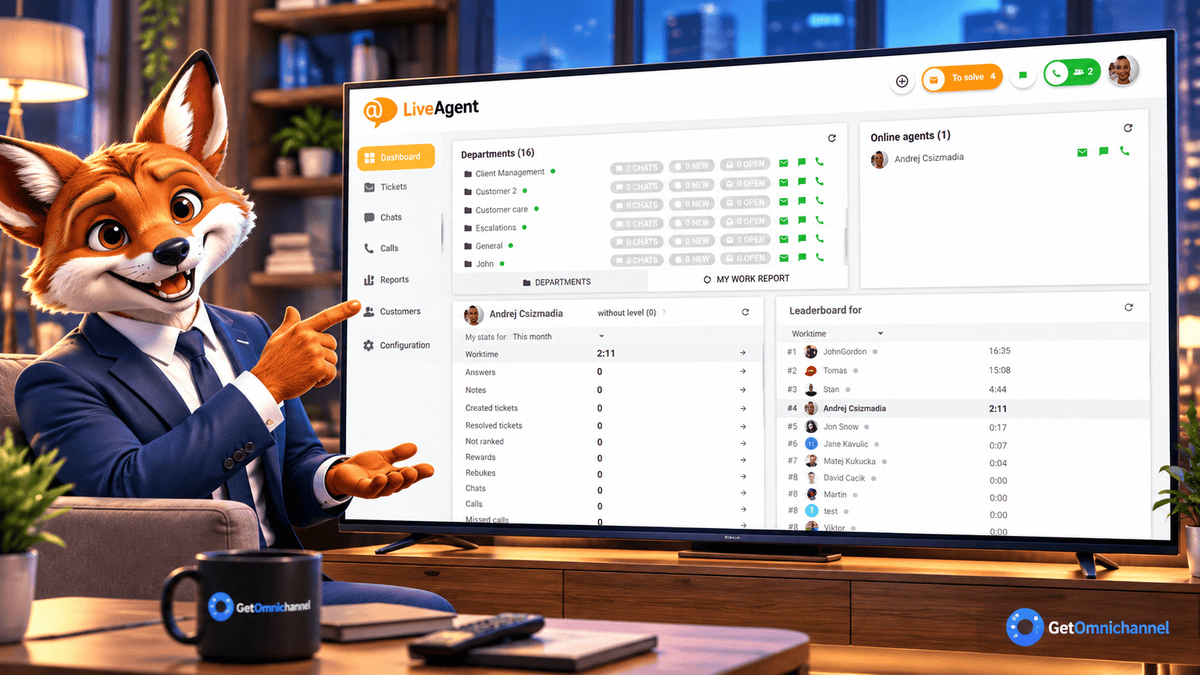
The cheapest path to AI-assisted omnichannel support in this comparison. The Small plan at $15/agent covers chat, email, and social with AI features (AI Answer Assistant, 24/7 AI chat) included—at 5 agents, $900/year. Voice is a $19/month add-on on Small or included from Medium ($29/agent). No other platform on this list combines AI, chat, and email at this price.
Deal-breaker: The mobile app UX is behind every other platform here. The built-in call center and full AI agent setup need the Medium plan at $29/agent, nearly doubling the cost. The interface feels functional but not modern.
Tidio
- Lyro AI Agent trained on FAQs, product pages, and Shopify order-status Smart Actions
- Native Shopify app with cart abandonment triggers, product cards, and order edits or refunds in chat
- Live chat plus automation flows for WhatsApp, Instagram, Messenger, and email in one panel
- Visual widget editor, proactive triggers, and multichannel inbox for small ecommerce teams
- Built-in live video calls and flows library for lead capture and post-purchase support
- Best Shopify-native fit with Lyro, cart triggers, and order-status actions
- Strong App Store footprint and fast WordPress/WooCommerce setup
- Conversation-based pricing can stay cheap at low chat volume
- Lyro conversation tiers exhaust quickly on traffic-heavy stores
- Starter and Growth include 10 seats; bigger teams move to custom-priced plans
- AI costs stack on top of base plan in ways the marketing page understates
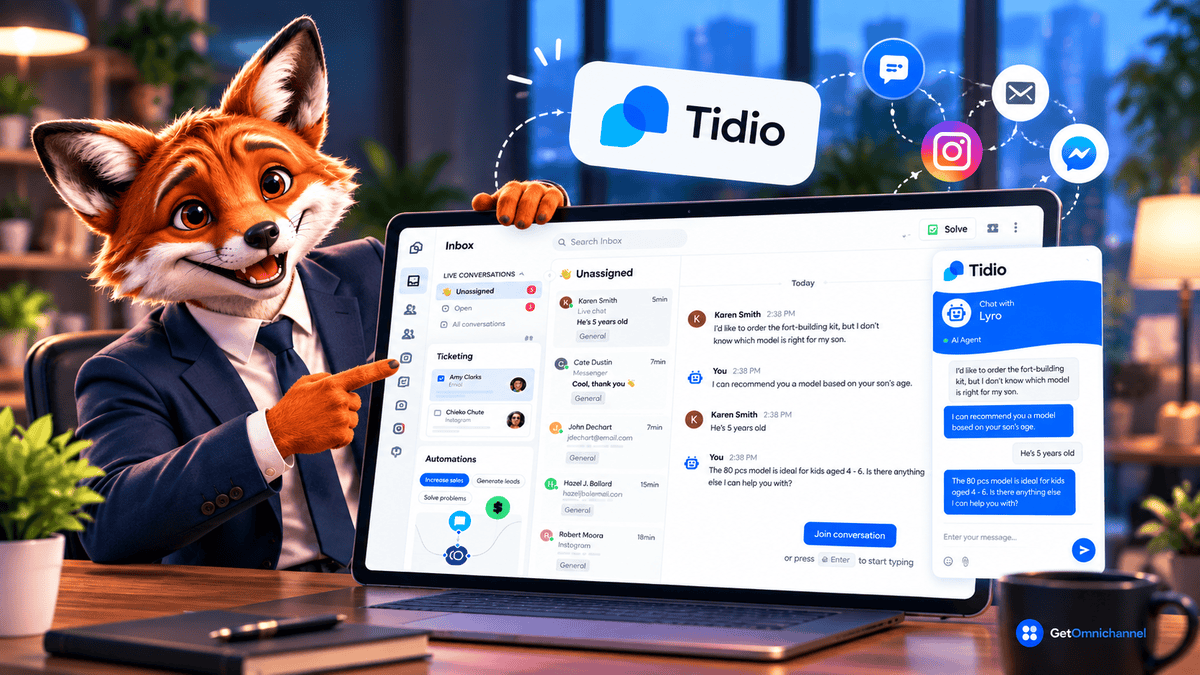
Tidio says Lyro resolves up to 67% of customer queries on average. The Shopify App Store rating: 4.8/5 from 1,349 reviews. Cart abandonment triggers are built in. We installed Tidio on a test Shopify store. Lyro trained on the store’s FAQ data automatically.
Deal-breaker: Lyro’s entry tier gives you 50 AI conversations a month ($32.50/month billed annually, $39 monthly). Our test Shopify store with 200 daily visitors exhausted that in 2 days. Tiers go up to 1,000 conversations a month, but Tidio doesn’t publish prices for the higher tiers [VERIFY: Lyro 500-conversation tier price], so get a quote before a busy store scales up.
HubSpot Live Chat
- Free live chat widget with every conversation logged automatically to HubSpot CRM contacts
- No-code chatflows and rule-based bots for qualify, book meetings, tickets, and knowledge base lookup
- Conversations inbox with routing rules to teams or least-busy agents (paid Sales or Service seats)
- Personalized messages using CRM properties; offline bots capture email when the team is away
- Native ties to Marketing Hub, Sales Hub, and Service Hub workflows on paid tiers
- Free live chat with every thread logged to HubSpot CRM contacts
- Zero data migration if you already run Marketing or Sales Hub
- No-code chatflows for qualify, meetings, and tickets on Service Hub tiers
- Widget UX lags Tidio and Intercom on modern storefronts
- Meaningful bot automation requires paid Service Hub seats
- Weak standalone chat product if HubSpot is not your system of record
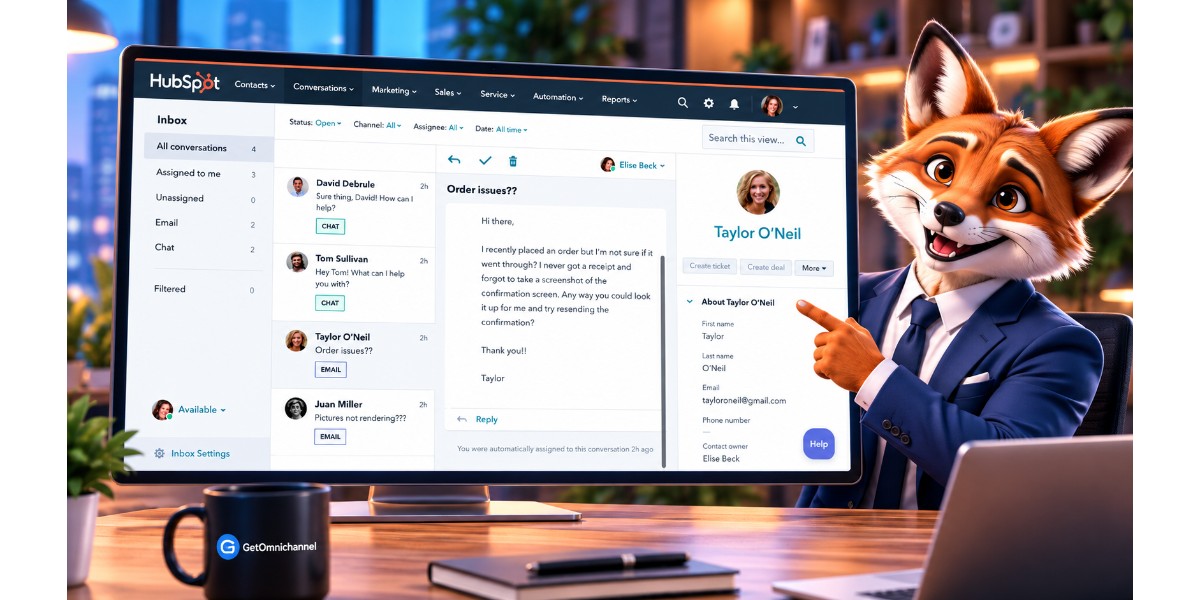
Free with HubSpot CRM free tier (up to 2 users). If your team already uses HubSpot for contacts and deals, adding live chat is literally clicking a toggle. Every conversation is logged against the contact record automatically.
Deal-breaker: The chat widget looks dated compared to Tidio and Intercom. Free tools include conversational bots with limited features; Starter ($7/seat/month, annual) adds routing rules and simple automation, and the Customer Agent AI needs Service Hub Professional. And every conversation is siloed if you don’t use HubSpot as your CRM. It’s a CRM add-on, not a standalone chat product.
Intercom
- Fin AI Agent for autonomous resolution with help center grounding, Procedures, and data connectors
- Omnichannel support across live chat, email, SMS, WhatsApp, social, and voice
- Shared inbox and customer records native to Intercom (Fin hands off with full thread context)
- Workflows builder for routing, automation, and deploying Fin on specific channels or audiences
- Help center, tickets, product tours, and 350+ integrations via API and MCP connectors
- Fin AI Agent with best-in-class help-center RAG and Procedures for multi-step tasks
- Omnichannel inbox across chat, email, SMS, social, and in-app messaging
- Product tours and event-based routing for product-led SaaS onboarding flows
- Fin per-resolution pricing spikes when ticket volume jumps
- Expensive and awkward for high-volume physical-goods ecommerce
- Seat plus usage stack adds up fast versus LiveAgent or Freshchat at five agents
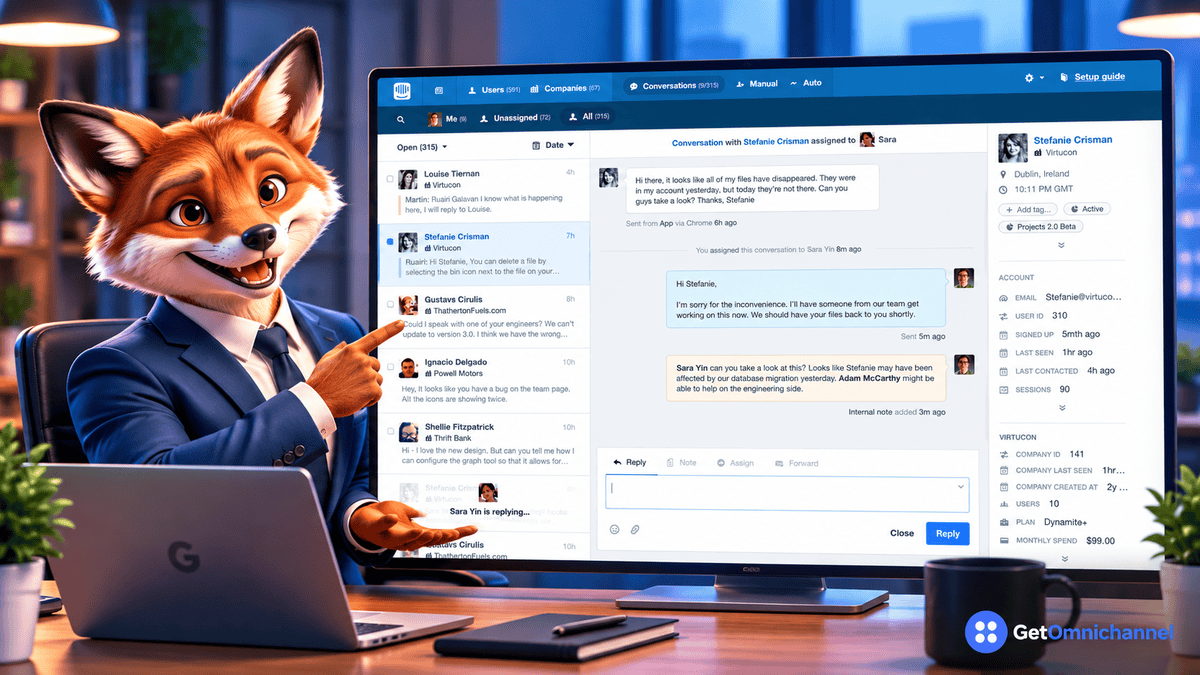
Fin AI is the most accurate RAG-based support bot we tested. It answers from your help center docs with citation links. At $0.99/resolution, the per-resolution model means you only pay when Fin actually resolves something. In our SaaS test queue, Fin handled approximately 40% of tier-1 tickets (GetOmnichannel scripted queue, September 2026). Intercom says Fin averages a 76% resolution rate across 12,000+ customers—our lower number reflects a deliberately tough scripted queue.
Deal-breaker: Usage-based pricing is unpredictable. At 500 AI resolutions/month: $495 a month in Fin charges. A product incident that doubles ticket volume doubles your AI bill the same month. Annual exposure at 1,000 resolutions/month: $11,880. That’s roughly the cost of a part-time support agent at $15/hour. Intercom restructured pricing in 2025 and may do so again. Get the per-resolution rate locked in your contract, not just the seat price.
Where Intercom wins decisively: Product-tour-to-chat handoff. No other platform on this list handles the flow from in-app product tour to live support conversation as smoothly. If your support model is triggered by in-app behavior (user stuck on onboarding step 3), Intercom’s event-based routing is genuinely superior to everyone else here.
Tawk.to
- Unlimited agents, websites, and chat history on the free core plan
- Customizable widget with proactive triggers, business-hour scheduler, departments, and 45+ languages
- Built-in ticketing, hosted knowledge base, and lightweight CRM on one dashboard
- Real-time visitor monitoring, shortcuts, file transfer, departments, and 100+ integrations
- Optional add-ons: AI Assist (24/7 bot), remove branding, video/voice/screenshare, and hired live agents
- Genuinely free unlimited agents, chats, and history
- Live in under 10 minutes with embed or WordPress plugin
- Ticketing, knowledge base, and visitor monitoring included at $0
- No production-grade native AI on the free core product
- Agent dashboard and widget feel basic next to Tidio or Intercom
- Off-hours visitors get a form unless you pay for AI Assist or staffed agents
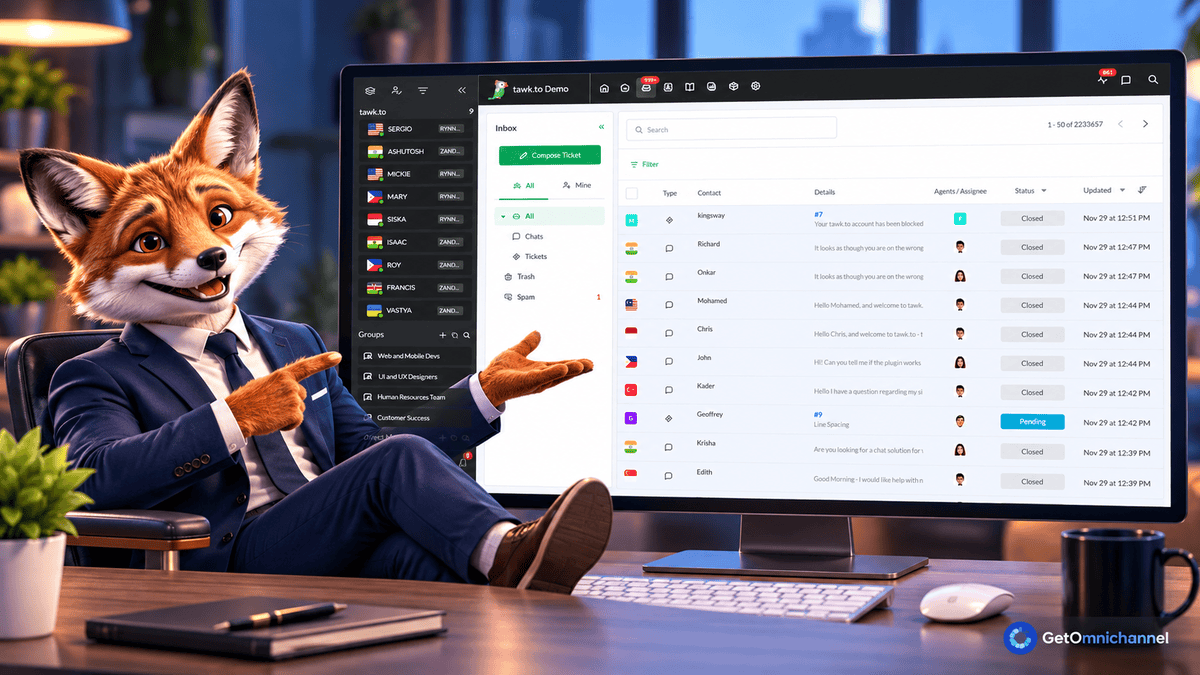
Genuinely free for unlimited agents and unlimited chats. The business model: selling outsourced human chat agents at $1/hour. We installed Tawk.to on a test site in under 10 minutes. The widget loaded fast. The agent dashboard is basic but functional.
Deal-breaker: No AI on the free core product. AI Assist is a paid add-on from $29/month (with a free version for low-volume sites). If a chat comes in at 2 AM, nobody is staffed, and you haven’t added AI Assist, the visitor gets a contact form. That’s it.
Freshchat
- Freddy AI Agent for web chat and messaging (WhatsApp, Instagram, Messenger) grounded in help articles, files, and URLs
- Freddy AI Copilot with reply suggestions, conversation summaries, and translation for human agents
- No-code chatbot builder with flows, API actions, and handoff to live agents when automation stalls
- Omnichannel inbox for web chat plus social and messaging channels in one workspace
- Growth at $19/agent is one of the lowest per-seat prices here, with a 500-session Freddy AI trial
- Strong value for teams under 10 agents on annual billing
- Web chat plus WhatsApp, Instagram, and Messenger from one Freshworks workspace
- Freddy AI Agent costs $49 per 100 sessions once the one-time 500-session trial is used
- Weaker Freddy accuracy on Spanish in our bilingual test queue
- Deep Salesforce sync usually means stepping up to Freshdesk/Freshworks suite tools

Freshchat Growth costs $19/agent/month. Freddy AI Agent comes with 500 free sessions, but that’s a one-time trial per account—after that it’s $49 per 100 sessions. We ran Freddy on a test queue with 200 English-language support tickets. Resolution rate was solid for standard queries.
Deal-breaker: Freddy’s accuracy drops significantly for Spanish-language queries. If you serve a bilingual US customer base, test in both languages before you commit. Once the trial sessions are gone, AI costs scale with volume: 100 AI sessions a month adds $588/year; 500 a month adds $2,940/year. Upgrading to Freddy Copilot for advanced features adds $29/agent/month, which changes the economics at scale. At 10 agents with Copilot: $480/month, or $5,760/year. Still cheaper than Zendesk AI, but no longer the budget option it appears to be on the pricing page.
WordPress integration: Freshchat’s WordPress plugin is lightweight and installs via the Freshworks plugin. No code needed. Does not surface WooCommerce order data natively, but integrates with Freshsales CRM if you’re on the Freshworks suite.
Re:amaze
- Shopify-native chat with order, fulfillment, refund, and draft-order actions inside conversations
- Multi-brand inbox for email, chat, SMS, voice, video, and social across several storefronts
- Embeddable FAQ center plus FAQ search and order-status lookup in the chat widget
- Pre-built and custom chatbots (Order Bot, FAQ Bot) plus Re:amaze AI Agent on paid tiers
- Workflows, macros with Shopify variables, push campaigns, and status pages for DTC brands
- Order, refund, and fulfillment context inside Shopify chats
- Multi-brand dashboard for several storefronts from one login
- FAQ search and Order Bot style automation included in the chat widget
- AI Agent allowance is small: 5 resolutions per user per month on Basic, then $0.85 each
- Less workflow depth than Gorgias for high-ticket Shopify operations
- $26.10/agent/month (annual) adds up for teams that only needed lightweight chat
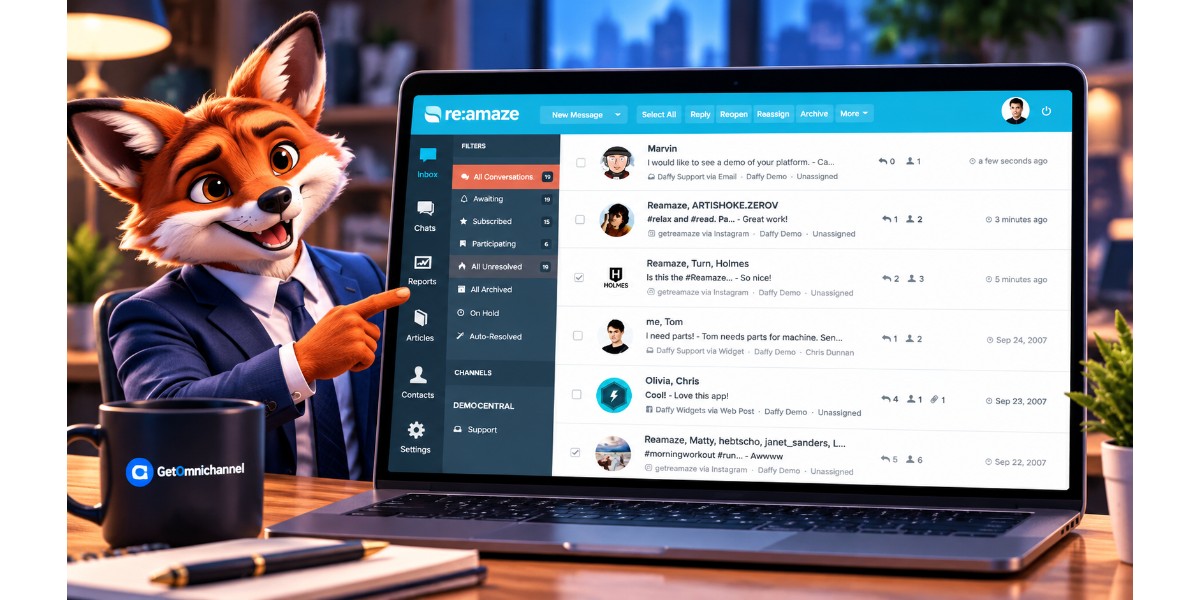
Built for Shopify. Shows order history, fulfillment status, and refund eligibility inside each chat. $26.10/agent/month on annual billing ($29 monthly). Multi-brand support included (run 3 Shopify stores from one dashboard). Chatbots are on every plan, and the Re:amaze AI Agent includes 5 AI resolutions per user per month on Basic, then $0.85 each.
Deal-breaker: The included AI allowance is small, and the AI Agent is less mature than Lyro or Fin. If you need high-volume AI resolution, Re:amaze isn’t the tool. It’s a strong Shopify helpdesk with chat, not an AI-first platform.
Zendesk Chat
- Live chat and messaging in the same agent workspace as email, voice, and social tickets
- Sunshine Conversations for omnichannel escalation to SMS, WhatsApp, and voice on higher Suite tiers
- AI agents and generative replies on Suite plans; Copilot add-on for auto assist, triage, and suggested replies
- Help center, SLAs, skills-based routing, and workforce tools on Professional and Enterprise
- Intelligent triage, macros, side conversations, and enterprise security or HIPAA options on top tiers
- Chat, email, voice, and social unified in one enterprise agent workspace
- SLA, workforce, and routing tools that mid-market suites cannot match
- Sunshine Conversations for true omnichannel escalation on Suite Professional+
- Poor economics as a standalone chat buy for teams under 20 agents
- Key escalation features require Suite Professional ($115/agent) or higher
- Advanced AI Copilot adds $50/agent/month on top of already high seat fees
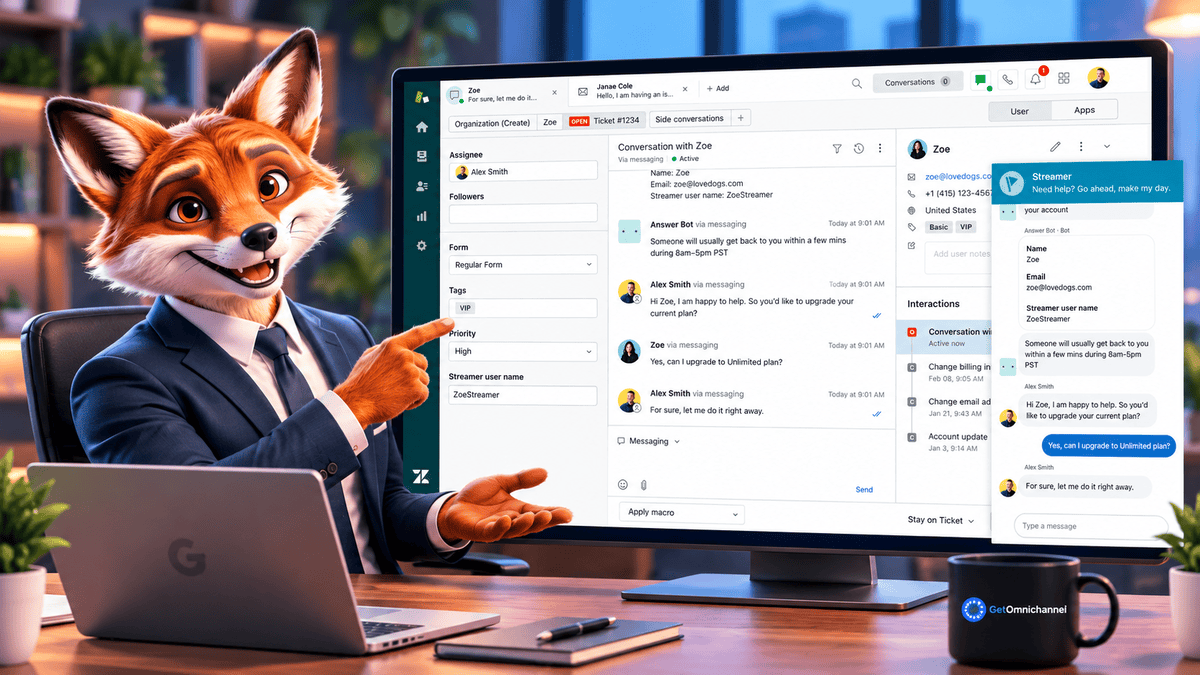
If you’re already paying for Zendesk Suite, chat is included. The Sunshine Conversations API allows chat to escalate to voice, video, or SMS within the same ticket thread. Enterprise-grade SLA tracking and workforce management.
Deal-breaker: That escalation feature requires Suite Professional at $115/agent/month. A 5-agent team on Professional pays $6,900/year before AI. The Suite Team plan at $55/agent (where most teams start) doesn’t include it. You discover this in month 2. Adding Zendesk AI Copilot ($50/agent) on top of Professional brings the 5-agent annual cost to $9,900 — nearly 9x Freshchat’s base price for the same five seats.
When Zendesk makes sense: When you’re already paying for the Suite and chat is one channel among five. Zendesk as a standalone live chat purchase is almost never the right economic decision for teams under 20 agents. It becomes the right choice at 50+ agents where the reporting, SLA management, and workforce optimization tools earn their premium.
LiveChat
- Customizable chat widget with routing rules, canned responses, rich messages, and ecommerce product cards
- 200+ integrations plus Chat API, webhooks, and Customer SDK for custom stacks
- Text Copilot and AI reply suggestions trained on uploaded knowledge bases and product pages
- ChatBot.com (separate product) for autonomous chatbot automation at scale
- Agent, ecommerce, and sales reports with goals tracking and chat supervision tools
- Clean, dedicated live chat product with a fast, polished widget
- Strong ecommerce focus with product cards and 200+ integrations
- Reliable mobile apps for iOS and Android plus Text Copilot for agents
- Limited compared to suites like Zendesk on ticketing depth
- AI chatbot features locked behind a separate ChatBot.com add-on
- Reporting is fairly basic unless you lean on ecommerce-specific views
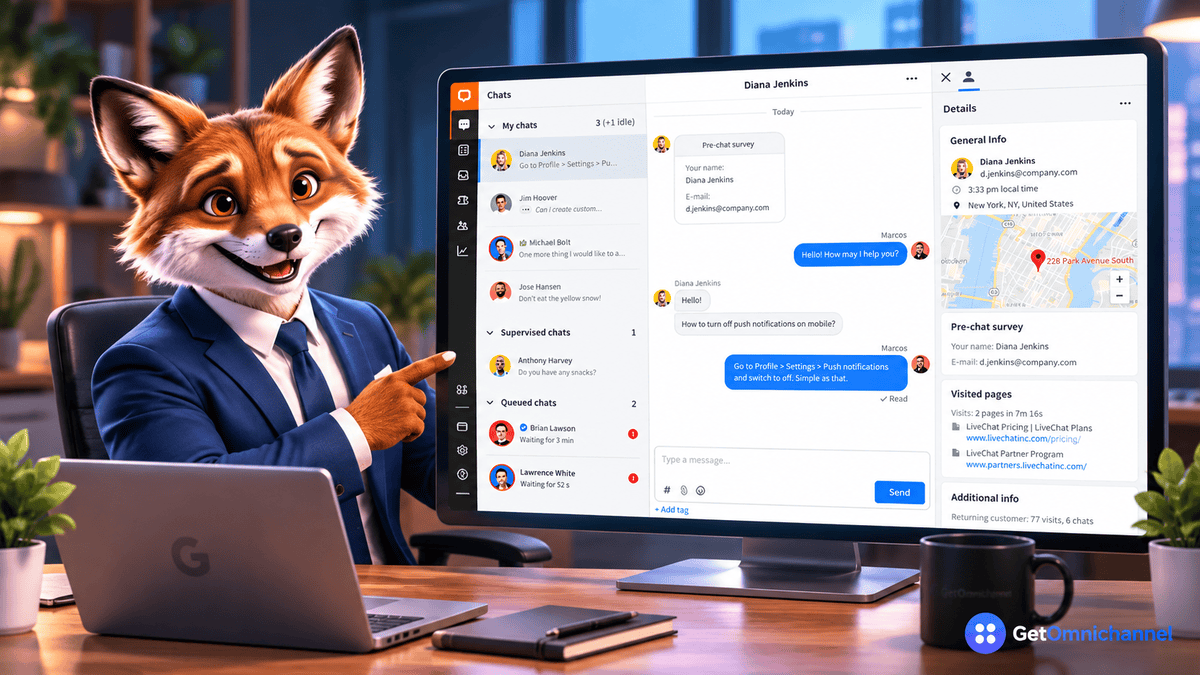
200+ integrations — one of the deepest dedicated live chat marketplaces here (Intercom lists more, but bundles a full support suite). Salesforce, HubSpot, Shopify, WordPress, Slack, and 195 more. The agent workspace is the most polished in the mid-market tier. Note that LiveChat’s $19 Starter plan covers one user, so a five-agent team needs Team at $49/agent ($2,940/year). We ran LiveChat on a WordPress test site. Connecting the plugin took about 10 minutes; full setup took 30 minutes including workspace configuration.
Deal-breaker: The AI chatbot (ChatBot.com) is a separate product by the same company. Separate login. Separate billing. ChatBot.com now charges per user: Growth at $79/user/month (annual) includes 200 AI resolutions a month. That’s $948/year for a single bot-builder seat, invisible on the LiveChat pricing page.
Olark
- Human-first live chat from a shared console with visitor insights and saved responses
- WCAG 2.1 AA compliant classic chatbox with keyboard and screen reader support
- Team groups, routing rules, custom pre-chat and offline forms, and chat limits per agent
- PowerUps: visitor co-browsing, live translation, and visitor insights (add-on pricing)
- CRM integrations (Salesforce, HubSpot, Slack) and email follow-up when visitors leave the site
- Human-first live chat with WCAG 2.1 AA accessible classic widget
- Simple agent console with visitor insights and saved responses
- Co-browsing and translation PowerUps for high-touch support scenarios
- AI Website Agent costs $400/month, so most teams stay human-only
- PowerUps (co-browse, insights, translation) inflate the per-seat bill
- Wrong fit if you require bot deflection or modern in-app messaging
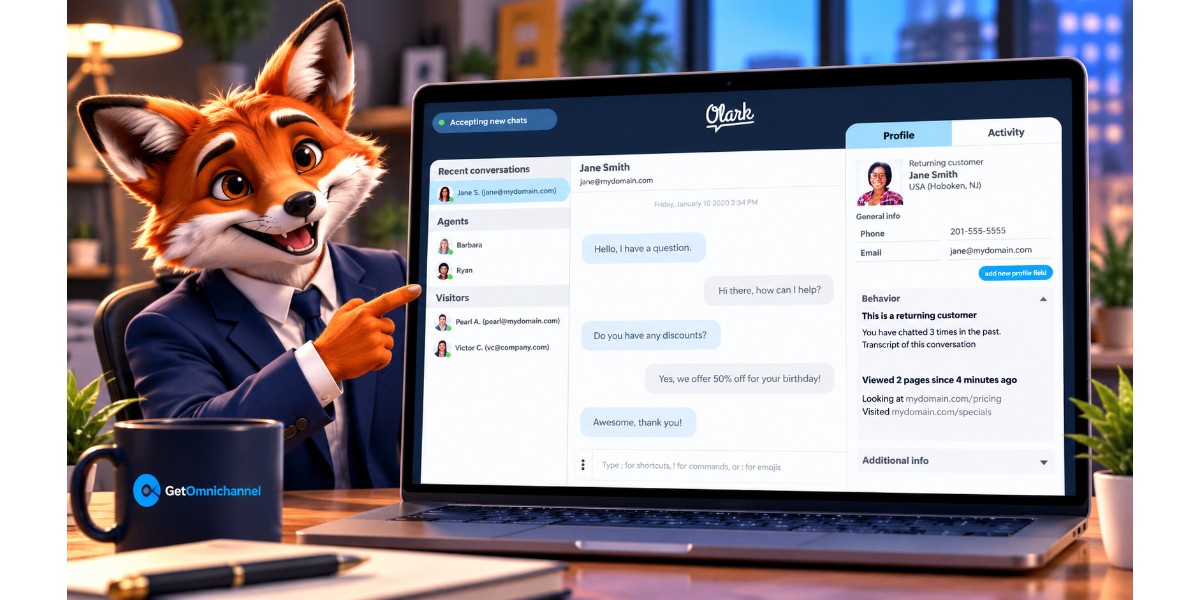
Human-first live chat. Olark is built for teams that believe every conversation should involve a person, and its core $29/agent/month plan is human-only. Its chatbox conforms to WCAG 2.1 AA, audited by Accessible360. Olark now also sells an AI Website Agent ($400/month billed annually, first seat included).
Deal-breaker: AI is expensive here: the AI Website Agent starts at $400/month—more than five human seats combined. PowerUps add up too (co-browsing $99/month, visitor insights $59–$99/month). If you need affordable automation beyond canned responses, Olark is the wrong tool.
Which Platform Fits Your Team Size
Under 10 Agents, Under $500/month
LiveAgent Small at $15/agent. An 8-person team pays $120/month ($1,440/year) with AI features included—no separate AI bill. Freshchat Growth at $19/agent ($1,824/year for 8) is the stronger pick if you want WhatsApp and Instagram in a modern inbox, but budget $49 per 100 Freddy AI sessions once the free trial runs out.
HubSpot Live Chat free if you’re already on HubSpot CRM. Don’t buy Service Hub just for chat. The free tier covers up to 2 users; beyond that, Starter is $7/seat/month and adds routing and simple automation.
Intercom and Zendesk at this tier are buying tomorrow’s problems with today’s budget. A 5-agent team on Intercom Essential ($29/seat) pays $1,740/year before Fin AI charges. That’s about 1.5x Freshchat and nearly 2x LiveAgent for a team that doesn’t need product-led growth features yet.
10-50 Agents, $500-$3,000/month
LiveChat Team at $49/agent/month (annual). A 20-agent team: $980/month. The 200+ integration library justifies the premium if you’re running Salesforce + HubSpot + Shopify simultaneously. Among dedicated live chat tools, only Intercom matches that connector depth at this tier.
Intercom becomes viable here IF your support is digital-first (chat + email + in-app, minimal voice). Fin AI’s resolution rate at scale starts offsetting the per-resolution cost. At 20 agents handling 3,000 monthly conversations with Fin resolving 1,200: $1,188/month in AI. Expensive. But cheaper than two additional junior agents.
50+ Agents, $3,000+/month
Zendesk Suite Team at $55/agent. At 50 agents: $2,750/month. Workforce management, SLA rules, and enterprise reporting justify the premium over Freshchat ($950/month for 50 agents). The $1,800/month gap buys manager-level dashboards, real-time queue monitoring, and workforce scheduling that Freshchat doesn’t have.
At this scale, evaluate Zendesk Suite Professional ($115/agent) which unlocks Sunshine Conversations for true omnichannel escalation. At 50 agents: $5,750/month. The jump from Team to Professional separates a chat tool from a contact center platform.
Tell us your team size and we'll match you with a specialist who can walk you through options and pricing for a team like yours.
Live chat pricing models explained
Live chat vendors charge in four different ways, and the model matters more than the headline price. Here’s who uses which, and what to watch for.
| Pricing model | Who uses it | Watch out for |
|---|---|---|
| Per agent (seat) | LiveAgent, Freshchat, LiveChat, Zendesk, Olark, Re:amaze | Entry plans capped at one user (LiveChat Starter), and seat costs that multiply as you hire |
| Per conversation | Tidio | Hard monthly caps, and unpublished prices for higher AI tiers |
| Per AI resolution | Intercom ($0.99), Re:amaze ($0.85 after the included allowance), Gorgias ($0.90 annual / $1.00 monthly) | Bills that rise with ticket volume—a product incident can double your AI cost in a month |
| Free or flat | Tawk.to, HubSpot free tools | Branding you pay to remove, and AI or automation sold as add-ons |
The trend to watch: AI is moving to per-resolution pricing. Intercom, Re:amaze, and Gorgias all bill per AI resolution, and Freshchat sells Freddy AI sessions in 100-session packs. Before you sign, ask every vendor what one AI-resolved conversation costs—and set a monthly cap.
The AI Chatbot Add-On Trap
The most expensive mistake: seeing a $19/month price and not calculating the AI cost. Here’s what each platform charges beyond the base plan.
Intercom Fin AI: $0.99/resolution. At 1,000 resolutions/month: $990 in overage. Annual: up to $11,880. That’s roughly a part-time support agent at $15/hour.
Tidio Lyro AI: from $32.50/month (annual) for 50 AI conversations. Higher tiers run up to 1,000 conversations a month, but Tidio doesn’t publish their prices—get a quote if you expect volume.
Zendesk Advanced AI: $50/agent/month. At 10 agents: $500/month = $6,000/year. Required for intelligent triage, suggested macros, and agent copilot.
Freshchat Freddy AI: 500 free sessions once per account, then $49 per 100 sessions. Freddy Copilot is $29/agent/month extra.
LiveAgent: AI Answer Assistant and 24/7 AI chat included on every plan, from $15/agent. The best AI-to-base-price ratio in this comparison.
Re:amaze AI Agent: 5 resolutions per user per month included on Basic, then $0.85 per resolution.
LiveChat + ChatBot.com: Separate product, priced per user. Essential at $19/user/month (annual) includes 10 AI resolutions a month; Growth at $79/user/month includes 200. Additive to LiveChat costs.
If AI automation is a core requirement, your first question is “what does this platform charge per AI resolution?” Not “what is the base plan price?”
WordPress and Shopify: Which Platforms Work Without a Developer
WordPress
Tidio: 4.7 stars on WordPress.org, 70,000+ active installs. Plugin search install. WooCommerce order data shows inside the chat window natively. No API configuration needed.
LiveChat: 4.6 stars, 10,000+ active installs. Requires API key from dashboard. About 10 minutes to connect (30 with full workspace configuration). Does not show WooCommerce cart data natively without Zapier or LiveChat’s own WooCommerce add-on.
Tawk.to: Copy-paste JavaScript embed. Plugin also available (4.6 stars, 100,000+ active installs). Zero configuration. No WooCommerce data in widget.
Shopify
Tidio: 4.8/5 on the Shopify App Store from 1,349 reviews. Lyro AI trains on store FAQ data automatically. Cart abandonment triggers built in.
Re:amaze: Purpose-built for Shopify. Order history, fulfillment status, and refund eligibility inside each chat. Used by Shopify Plus merchants.
Gorgias: Not in our main top-10 but worth naming here. A popular Shopify-first helpdesk, starting at $10/month for 50 tickets (monthly billing). Purpose-built with Shopify order management. For pure Shopify stores, Gorgias often beats Tidio on workflow depth.
The Honest Answer to “What’s the Best Free Live Chat?”
Tawk.to for most people. HubSpot Live Chat for anyone already on a CRM. Nothing else is genuinely free.
Tawk.to: free for unlimited agents and chats. No AI on the free core. No automation. Your team IS the support team. The $29/month “remove branding” add-on is the paid feature you’re most likely to need; AI Assist starts at $29/month if you want an after-hours bot.
HubSpot Live Chat: free with HubSpot CRM (free tier, up to 2 users). Every conversation logs against the contact record. The widget is dated. Bots on the free plan have limited features; Starter is $7/seat/month.
Freshchat’s free tier: up to 10 agents, but no Freddy AI Agent—the 500-session AI trial is only on paid plans.
Tidio’s “free” tier: 50 conversations/month. That’s a demo, not a production tool.
The right call: Tawk.to until you handle more than 200 chats/month. After that, the time cost of no automation outweighs $15–$19/agent/month for LiveAgent or Freshchat.
How do I choose live chat software in 2026?
1. Support, sales, or both?
Support-first: LiveAgent, Freshchat, Zendesk, LiveChat. Sales-first (lead qualification): Intercom. Both: Tidio or HubSpot.
2. What is your real monthly chat volume?
Under 200/month: AI is optional, free tools work. 200-1,000: AI becomes cost-justified—LiveAgent (AI included), Freshchat, or Tidio. Over 1,000: AI is essential. Calculate Intercom Fin overage vs headcount. At 2,000 AI resolutions/month, Intercom costs $1,980/month. A part-time agent at $15/hour for 80 hours: $1,200/month. The math matters.
3. What’s your tech stack?
HubSpot CRM: start with HubSpot Live Chat free. Salesforce: Zendesk (native sync without middleware), or LiveChat via its Salesforce integration. Shopify: Tidio or Re:amaze. Gorgias if ticket volume exceeds 300/month. No CRM yet: LiveChat with free HubSpot integration.
Live chat software is a real-time messenger on your website or app. Visitors talk to your team or a bot without opening email or leaving the page. Teams use it for support, lead capture, and answering questions while visitors are still browsing. For most SMB teams with about five agents, LiveAgent is our top-scoring pick (4.5/5) at $900/year all-in because AI features are included on every plan. Tidio (4.3/5) is the runner-up, especially for ecommerce, and Freshchat ($1,140/year plus pay-as-you-go AI) suits teams that want a modern Freshworks inbox. Tawk.to is the best free option, and HubSpot Live Chat fits teams already on HubSpot CRM (free for up to 2 users, $7/seat after that). For a 5-agent team on annual billing, base plans in our table run from $0 (Tawk.to) and $420/year (HubSpot Starter) to $3,300/year (Zendesk Suite Team). With about 100 AI conversations a month, realistic all-in totals are $900–$2,928/year for most SMB stacks—LiveAgent with AI included at the low end, Intercom with Fin at the high end—and $6,300/year for Zendesk with Copilot. Tawk.to: unlimited agents, unlimited chats, unlimited history. Genuinely free. HubSpot Live Chat: free with HubSpot CRM free tier for up to 2 users. Tidio's free plan covers 50 conversations a month; Freshchat's free plan supports up to 10 agents but excludes Freddy AI Agent. Shopify: Tidio for AI plus cart triggers; Re:amaze for multi-brand stores with order data in the thread; Gorgias often wins on workflow depth above roughly 300 tickets/month. WordPress: Tidio (strong WooCommerce data in-widget), Tawk.to (fastest embed, no native order data), LiveChat (~30-minute setup, 200+ integrations). Intercom Fin AI: most accurate for SaaS help-center support in our tests; Intercom says Fin averages a 76% resolution rate across its customers. Tidio Lyro: up to 67% on average for ecommerce queries, per Tidio. LiveAgent: best value—AI features included on every plan from $15/agent. Live chat is real-time messaging through a site widget. Help desk software centers on tickets, SLAs, and async channels like email. Many tools in our list bundle both: Freshchat, LiveAgent, Zendesk, and HubSpot Service Hub combine chat with ticketing in one product. Often yes, depending on the vendor. LiveAgent includes AI features on every plan. Freshchat gives 500 one-time Freddy sessions, then charges $49 per 100. LiveChat requires ChatBot.com (from $19/user/month) as a separate product. Intercom Fin bills per resolution on top of seat fees. Read the AI line item on the pricing page, not just the per-agent base plan. Tawk.to and Tidio: under 15 minutes via JavaScript embed or WordPress plugin. LiveChat: approximately 30 minutes. Zendesk Chat within Zendesk Suite: 2-5 hours of admin setup before production. Live chat routes messages to human agents in real time. A chatbot handles queries with automated responses. Most platforms combine both: the bot answers first, a human joins if the bot can't resolve. Usually, if chat helps close sales you'd otherwise lose. A simple test: if live chat saves just two $150 orders a month, that's $3,600 a year—more than LiveAgent's $900 or Tidio's ~$680 annual cost. Track chat-assisted orders for 30 days during a free trial before you commit. Start with five: first response time (how fast a visitor gets a reply), resolution time, customer satisfaction (CSAT) after each chat, missed or abandoned chats, and—if you run an AI bot—AI resolution rate. For sales-focused chat, add chat-to-conversion rate. Most platforms in this guide report all of these; check that the AI resolution number counts only conversations closed without a human. It depends on the vendor and plan. For GDPR, look for a signed data processing agreement, data-residency options, encryption, role-based permissions, and a way to delete visitor data on request. For HIPAA, you need a signed business associate agreement (BAA) before any patient data goes through chat—Zendesk, for example, offers HIPAA options only on its top tiers. Never assume compliance from a feature list; ask the vendor for the agreement. Most can, but quality varies. Tawk.to's widget supports 45+ languages, and Freshchat's Freddy Copilot can translate for agents. AI bots are the weak spot: in our tests, Freddy AI handled English support tickets well but was noticeably weaker on Spanish queries. If you serve a bilingual customer base, run your own test tickets in every language before you commit. For questions that need a fast answer—pre-sales questions, order status, login problems—live chat wins because visitors get help while they are still on the page. Email is better for complex issues that need investigation or attachments. Most teams use both: chat for speed, with the conversation turned into a ticket when it needs follow-up. That is why many tools here, such as LiveAgent, Freshchat, and Zendesk, combine chat and email in one inbox.Frequently Asked Questions: Live Chat Software 2026
What is live chat software?
What is the best live chat software for small business in 2026?
How much does live chat software cost for a small business?
What is the best free live chat software in 2026?
Which live chat is best for Shopify or WordPress?
Which live chat has the best AI chatbot in 2026?
What is the difference between live chat and help desk software?
Do I need a separate AI chatbot if live chat includes AI?
How long does it take to set up live chat?
What's the difference between live chat and a chatbot?
Is live chat worth it for a small ecommerce store?
What metrics should I track for live chat?
Is live chat software secure and GDPR- or HIPAA-compliant?
Can live chat software handle multiple languages?
Is live chat better than email support?
Start one free trial this week, not three. If you’re under 10 agents and under $500/month: LiveAgent (or Freshchat for a more modern inbox). If you’re on Shopify: Tidio. If you need it free: Tawk.to. If you’re already on HubSpot: toggle on Live Chat. Pick one. Test it for 14 days. The worst outcome is knowing what you don’t want. That’s still progress.
 Your information is encrypted and kept secure.