

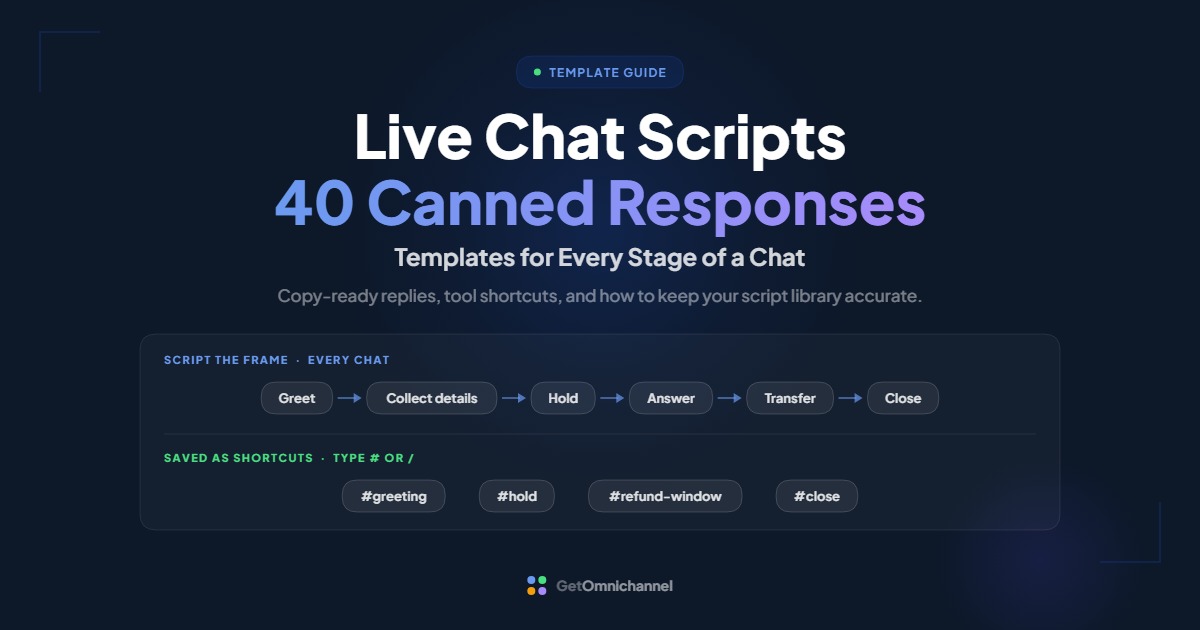
A live chat script is a pre-written reply that agents insert into a chat and adjust before sending. Chat tools call these canned responses, macros, or snippets. Good scripts cover the moments that repeat in every chat, such as greetings, holds, transfers, and closing, and leave a gap for the part only a person can answer.
Below are 40 templates grouped by the stage of the chat where you need them. Words in [brackets] are the parts to fill in. After the templates, you’ll find how to save them as shortcuts in six common chat tools, and how to stop a script library from going out of date. For tone and style rules for every reply, see our guide to live chat support.
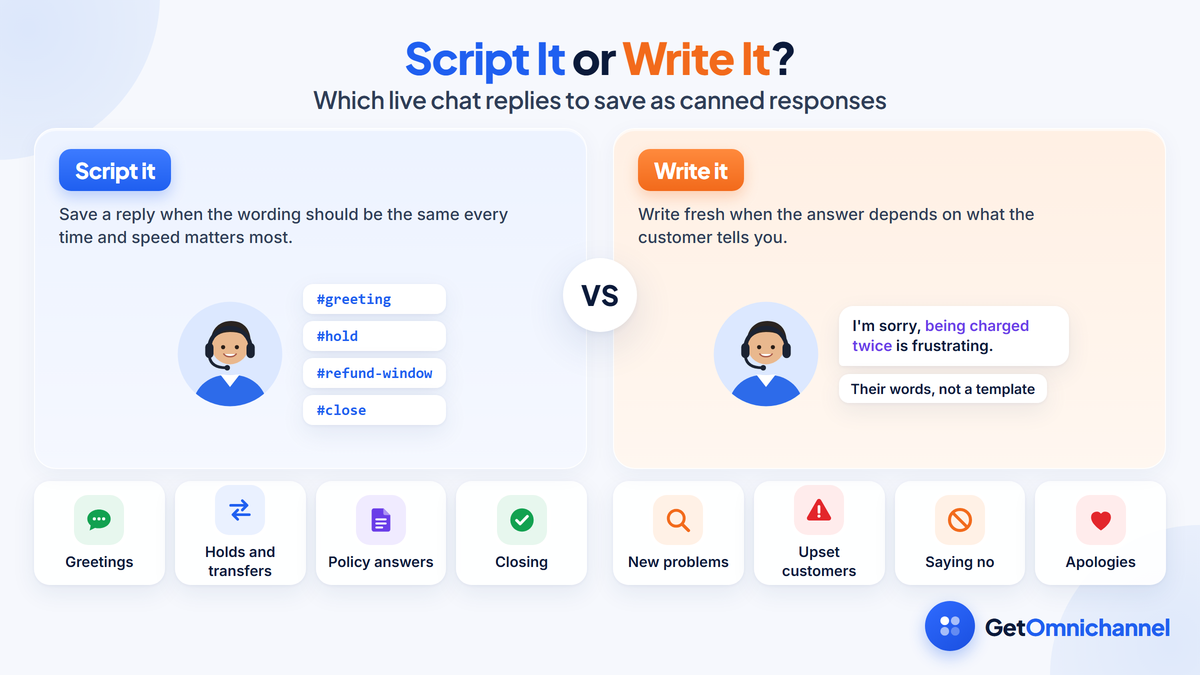
Save replies for greetings, holds, transfers, policies, and closing. Write the answer to the customer's actual problem yourself.
Compare live chat tools →What is a live chat script?
A live chat script is a saved message an agent can insert with a shortcut instead of typing it each time. It keeps answers consistent and fast, but the agent still edits it to fit the question. UK government guidance describes scripted responses as a way to help advisors “deliver consistent advice to users” while leaving “the option to tailor their responses” (GOV.UK).
The terms overlap, and each vendor uses its own:
- Script. The general term for planned wording, whether it lives in a document, a training guide, or the chat tool.
- Canned response. A saved message you insert into the reply box. LiveChat and Freshchat use this name.
- Macro. A saved reply that can also take actions, such as tagging or assigning the conversation. Intercom, Zendesk, and Tidio use this name.
- Snippet. HubSpot’s name for a reusable block of text.
The rest of this guide uses “script” for the wording and “canned response” for the saved version in your tool.
When should you use a chat script?
Use a script when the wording should be the same every time: greetings, holds, transfers, policies, and closing. Write freely when the customer is upset, the problem is unusual, or the answer depends on details only you can see. Scripts handle the frame of a chat, and you write the middle.
| Moment in the chat | Use a script? | Why |
|---|---|---|
| Greeting, hold, transfer, closing | Yes | Same purpose every time; speed matters most |
| Policy answers: returns, shipping, billing dates | Yes, from the policy page | Wording must match what you've published |
| How-to steps | Yes, with a help article link | Steps are fixed; the link keeps the reply short |
| Saying no, apologising | Use the structure, write the words | A pasted apology reads as no apology |
| Troubleshooting a new problem | No | The answer depends on what the customer tells you |
| An angry or upset customer | No, beyond the opening line | They will notice wording that doesn't match their words |
How do you write a canned response that doesn’t sound canned?
Lead with the answer, keep it to two or three short sentences, give one next step, and build in a slot the agent must fill, such as the customer’s name or order detail. A reply that responds to the customer’s own words doesn’t read as canned, even if most of it was saved.
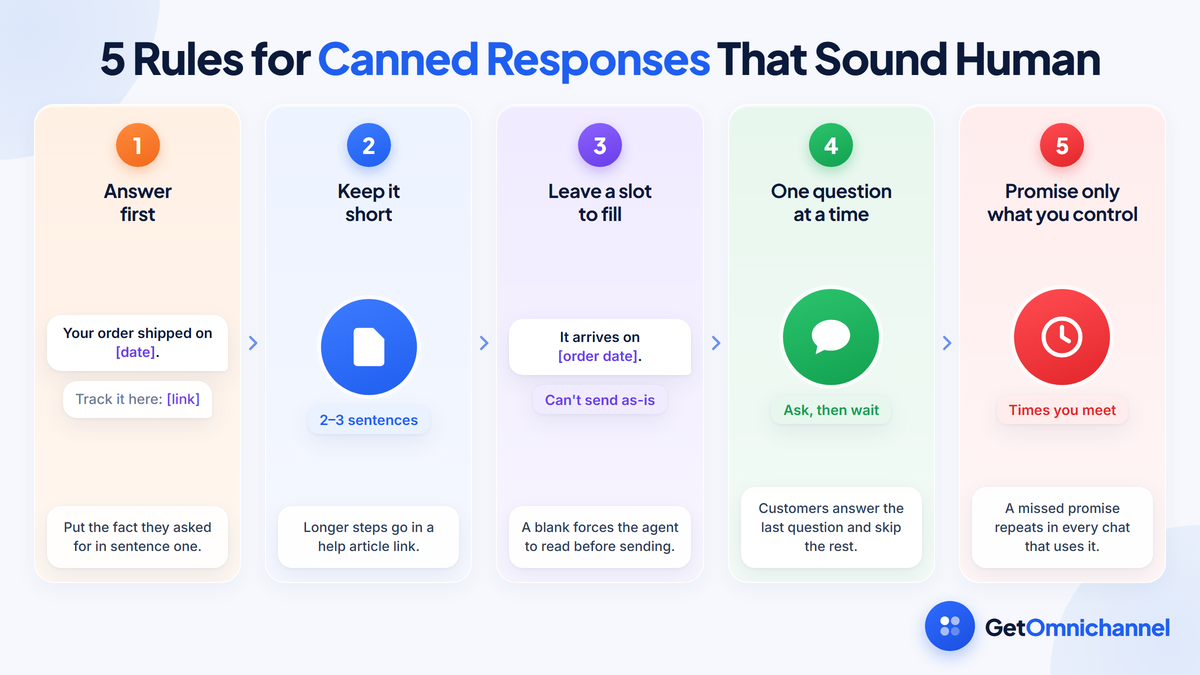
Answer first
Put the fact the customer asked for in the first sentence. Context and policy come after, if at all.
Keep it short enough for a chat window
GOV.UK's guidance for webchat and chatbots recommends "keeping text simple, concise and easy to follow." If a reply needs more than three sentences, send the steps as a link to a help article.
Leave a slot that forces an edit
A bracketed field such as [order date] can't be sent as-is, so the agent has to read the reply before sending it. That one check catches most mismatched answers.
Ask one question at a time
Customers tend to answer the last question in a message and skip the rest. One question, then wait.
Promise only what you control
"Within 2 business days" belongs in a script only if your team meets it. A missed promise in a saved reply is repeated in every chat that uses it.
40 live chat scripts by stage of the conversation
These templates follow a chat from start to finish. Each one has a fill-in slot and a short note on when to use it. Copy them into your tool, then rewrite the wording to match your brand’s voice and your actual policies.
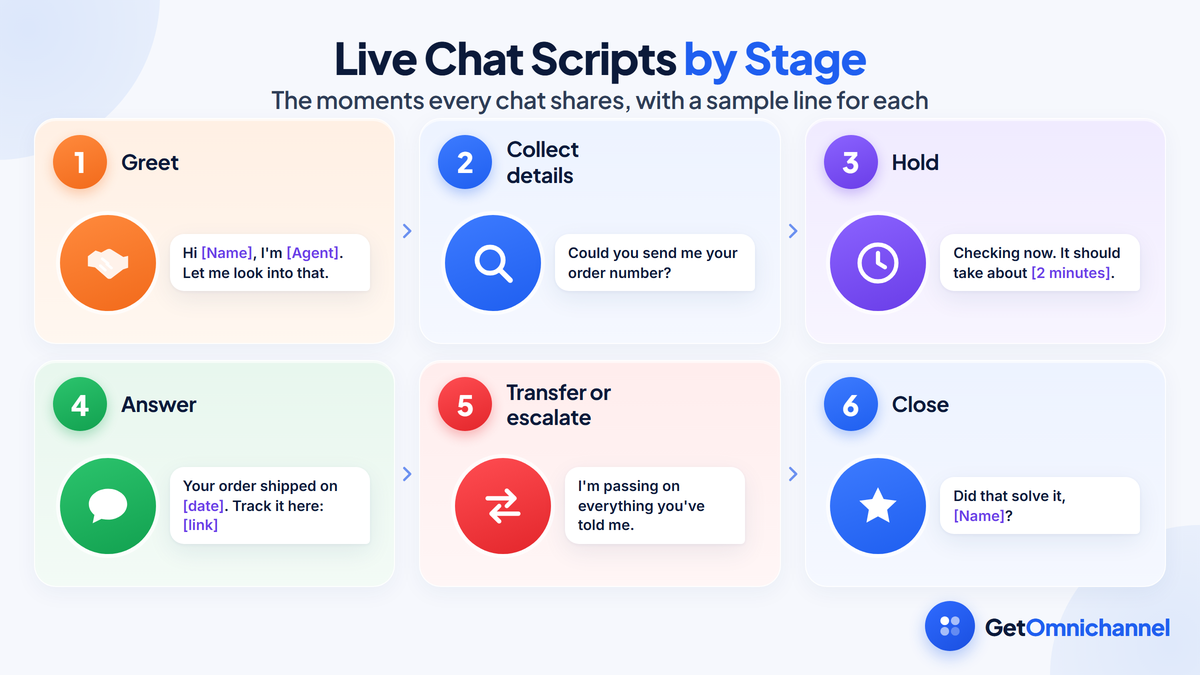
Greetings
Collecting details
Holding and waiting
LiveChat reports that queued customers wait 4 minutes 18 seconds on average, and 27.4% leave before an agent replies (LiveChat Customer Service Report, data last updated 2024). A clear wait time and an email option give those customers a reason to stay or a way to be helped later.
Transfers and escalation
Common questions
Saying no and handling complaints
Sales and pre-sales
Technical support
Offline and after hours
Idle customers
Closing the chat
How to save scripts as shortcuts in your chat tool
Most chat tools let agents insert a saved reply by typing a trigger character, usually # or /, followed by a shortcut name. Personalisation variables, such as the customer’s first name, work differently in each tool, so test them in a real chat before you rely on them.
| Tool | Called | Insert with | Personalisation and limits |
|---|---|---|---|
| LiveChat | Canned responses | # + shortcut, e.g. #thanks | Variables such as %customer-name% and %agent-name%. Available on Team, Business, and Enterprise plans. |
| Intercom | Macros | \, or # + a word from the macro name | Fill-in fields; actions such as tagging run when you send |
| Zendesk | Macros and chat shortcuts | / in the composer (Agent Workspace) | Placeholders such as {{ticket.requester.first_name}} |
| Freshchat | Canned responses | / + shortcode | Placeholders with fallback text if a value is missing |
| HubSpot | Snippets | # + shortcut | 3 snippets on free accounts, up to 5,000 on paid; 2,500 characters each |
| Tidio | Macros | / + name; # filters by label | See Tidio's help center for current options |
Sources: LiveChat, Intercom, Zendesk, Freshchat, HubSpot, and Tidio, checked November 2026.
Three things to check before you rely on variables
- Where the data comes from. LiveChat fills customer details from pre-chat forms or other data you collect, so if a visitor skipped the form, there’s no name to insert.
- Where the variable works. HubSpot says personalisation tokens in snippets “will only populate when you use the snippet on the Email tab” of a record. In a live chat, write the name yourself.
- What shows when it’s empty. Freshchat lets you set fallback text for a placeholder. Where your tool doesn’t, write templates that still read well without the name.
Name shortcuts so agents can guess them
Use one pattern for every shortcut, topic first and then the action, such as refund-window, refund-start, ship-delay, and ship-track. In Intercom, macro search matches the title, so put the topic word in the macro title too. Agents should find the right reply by typing the first word they think of.
How to keep a canned response library accurate
Give each group of replies an owner, link every policy reply to the page it comes from, and review the library whenever a policy or price changes. Track which replies get used and remove the ones nobody uses. A stale canned response repeats the same wrong answer in every chat.
Start with your most common questions
Pull the last month of chat transcripts and list the questions that come up most often. Script those first, then add new replies only when a question keeps repeating.
Separate shared and personal replies
LiveChat, Freshchat, and Intercom all let agents keep private replies alongside the team's shared ones. Keep policy answers shared and owned by a lead, and let agents keep personal replies for their own phrasing.
Tie policy replies to their source
Put the help article or policy URL in each reply that quotes a number, such as return windows, refund times, or prices. When that page changes, search the library for the URL and update every reply that uses it.
Measure usage
LiveChat can tag a chat automatically when a canned response is used. It applies the tags even if the agent edited the reply, as long as at least 10% of the original text remains. Usage counts like these show which replies earn their place.
Review every quarter
Delete replies nobody used, merge near-duplicates, and read a sample of chats where scripts were sent to see whether customers had to ask again.
If you also run a chatbot, it should answer from the same approved wording as your agents. Two versions of the returns policy, one in the bot and one in the canned responses, will eventually disagree, and customers will see both.
Common live chat script mistakes
The most common mistakes are sending a reply that doesn’t match the question, leaving a placeholder unfilled, stacking several canned messages in a row, and keeping replies after the policy behind them has changed.
- Answering the wrong question. A saved reply that covers half of what the customer asked reads as a bot, even when a person sent it.
- Unfilled placeholders. “Hi [Name]” or an empty variable tells the customer exactly how the reply was made. Bracketed slots that block sending are safer than silent variables.
- Message stacking. Three canned replies in a row push the customer’s question out of view in a small chat window. Combine them or cut two.
- Out-of-date numbers. Prices, return windows, and delivery times change. A reply that still says the old number creates a dispute you’ll have to honour or argue about.
- Over-scripted apologies. “We apologise for any inconvenience caused” is a stock phrase that names no problem at all. Name the actual problem instead.
How this guide was made
Researched and written by Kinjal Trivedi, SaaS & Technology Writer at GetOmnichannel. Tool details come from each vendor's help documentation (LiveChat, Intercom, Zendesk, Freshchat, HubSpot, and Tidio), queue benchmarks from LiveChat's Customer Service Report (data last updated 2024), and guidance on scripted replies from GOV.UK, all linked at each claim and checked in November 2026. The 40 templates, the script-or-write table, and the library process are editorial guidance written for this page, not wording taken from any vendor.
Script the parts of a chat that never change, such as greetings, holds, transfers, policies, and closing, and write the rest yourself. Build a slot into every template that forces an edit, save the replies under shortcuts agents can guess, and review them whenever a policy changes. A good script saves typing, not thinking.
Frequently asked questions
%customer-name% in LiveChat or {{ticket.requester.first_name}} in Zendesk. Check where the name comes from and what shows if it's missing. HubSpot, for example, says snippet tokens only fill in on a record's Email tab, not in chat.
Conclusion: script the frame, write the middle
Live chat scripts work best for the parts of a conversation that repeat in every chat: opening, waiting, transferring, explaining a policy, and closing. They make those parts faster and more consistent, and leave agents free to spend their attention on the part that’s different every time.
Start with the templates above, rewrite them in your own voice, and save them under shortcuts that follow one naming pattern. Then treat the library like any other help content, with an owner, a source for every number, and a regular review.
Next step: Compare chat tools by how well they handle canned responses, shortcuts, and handoffs in our guide to the best live chat software.
 Your information is encrypted and kept secure.