

The best omnichannel communication platform depends on where your conversations happen. Zendesk Suite fits mid-market support teams with a dedicated admin. Freshdesk Omni is the value pick for SMB and mid-market teams. Genesys Cloud CX and Talkdesk lead when voice drives the operation. Respond.io suits messaging-led B2C sales, and Front suits B2B teams working from shared inboxes.
This guide compares 10 customer communication platforms on what you actually pay: published seat prices, WhatsApp message fees, AI add-ons, required onboarding and the cost of leaving. Seat prices are the easy part. The add-ons are where two platforms with similar list prices end up tens of thousands of dollars apart in year one.
Update, November 1, 2026: Every price in this guide was re-checked against vendor pricing pages. Salesforce replaced its Enterprise edition with Core ($195/user/month), Freshdesk Omni Pro and Enterprise rose to $79 and $119, Intercom now sells native phone support, and Meta’s WhatsApp pricing moved to per-message billing with new US rates from October 1, 2026. Front was added at #10.
- Best for mid-market support teams: Zendesk Suite Professional at $115/agent/month (annual), if you have someone to administer it.
- Best value for SMB to mid-market: Freshdesk Omni Pro at $79/agent/month, with 500 free AI Agent sessions per account.
- Best for voice-heavy contact centers: Genesys Cloud CX, from $115/user/month for digital plus voice (CX 2).
- Best for messaging-led B2C sales: Respond.io Growth at $159/month (annual) for 10 users and 1,000 monthly active contacts.
- Best for B2B shared inboxes: Front Professional at $65/seat/month, with no native phone (it integrates with Aircall and Dialpad).
- The fee most budgets miss: WhatsApp marketing messages cost $0.025 each in the US since October 1, 2026, before any platform markup (Freshworks, Kustomer and Front add 20%).
- First-year spread at 50 agents: $51,000 (Front Professional + Copilot) to $162,000 (Salesforce Core + Enhanced Messaging) at list price, before usage fees.
Best Omnichannel Communication Platforms 2026: 3-Minute Video Comparison
The best omnichannel communication platform depends on team size and channel mix: Freshdesk Omni or Respond.io under 25 agents, Zendesk Suite for 25–150 agents with an admin, and Genesys Cloud CX or Talkdesk for voice-heavy contact centers above 150. This 3-minute video compares all 10 platforms in this guide on seat price, WhatsApp per-message fees, AI add-ons and the first-year cost for a 50-agent team, using the same November 1, 2026 prices as the tables below.
Key moments in the video:
- 0:00 Why the same seat price can cost $30,000 more
- 0:24 What makes a platform actually omnichannel?
- 0:55 Zendesk Suite pricing
- 2:07 How much does WhatsApp cost per message?
- 2:31 What does a 50-agent team pay in year one?
- 2:43 How to choose by team size
0:00 Why the same seat price can cost $30,000 more Host: Two omnichannel platforms can list almost the same seat price, and still end up tens of thousands of dollars apart in year one. Analyst: Because the seat price is the easy part. WhatsApp fees, AI add-ons and onboarding decide the invoice. Host: So we compared ten platforms on what you actually pay. Analyst: Prices checked November first, twenty twenty-six. Here's how to pick. 0:24 What makes a platform actually omnichannel? Host: First, what makes a platform actually omnichannel? Analyst: Three questions. Does the conversation survive a channel switch? Does the agent see one timeline, not tabs? And does routing use the customer's history across channels? Fail one, and it's multichannel. 0:40 The 5 types of omnichannel platform Host: Do they all work the same way? Analyst: No. Five foundations. Ticket-first helpdesks, a customer-object platform, CRM-native tools, conversation-first inboxes, and contact centers built around voice. 0:55 Zendesk Suite pricing Analyst: Zendesk Suite: one hundred fifteen dollars per agent on Professional. Deep routing and reporting, if you have a dedicated admin. Host: And the catch? Analyst: Copilot is another fifty per agent. 1:07 Freshdesk Omni pricing Analyst: Freshdesk Omni is the value pick. Pro is seventy-nine dollars, with five hundred free AI agent sessions. Cross-channel routing needs Enterprise, at one nineteen. 1:17 Salesforce Service Cloud vs HubSpot Service Hub Host: What if we already live in a CRM? Analyst: Salesforce Service Cloud Core is one ninety-five per user, plus seventy-five for messaging channels. HubSpot Service Hub starts around ninety, with a required fifteen-hundred-dollar onboarding fee. 1:33 Kustomer and Intercom Analyst: Kustomer puts every channel on one customer timeline, priced by quote. Intercom charges ninety-nine cents per Fin AI outcome, and now has its own phone product. 1:44 Genesys Cloud CX vs Talkdesk Host: And voice-heavy teams? Analyst: Genesys Cloud CX, from one fifteen for digital plus voice. Or Talkdesk Elite at one sixty-five. 1:54 Respond.io and Front Analyst: For messaging-led sales, Respond.io Growth: one fifty-nine a month for ten users. And Front, at sixty-five a seat, suits B2B teams in shared inboxes, though phone comes through integrations. 2:07 How much does WhatsApp cost per message? Host: You said WhatsApp is where budgets slip. Analyst: Meta charges per message now. A U.S. marketing message is two and a half cents. Ten thousand a month is three thousand dollars a year, and three thousand six hundred if your platform adds twenty percent. 2:21 How is AI priced in omnichannel software? Host: Isn't AI usually included? Analyst: Rarely in the same way. Some charge per agent, some per outcome, some in credits. Always ask what the next unit costs. 2:31 What does a 50-agent team pay in year one? Host: Bottom line for fifty agents? Analyst: At list price with one common add-on, roughly fifty-one thousand dollars on Front, up to one hundred sixty-two thousand on Salesforce. Before usage fees. 2:43 How to choose by team size Host: So how do I choose? Analyst: Start with team size. Under twenty-five agents: Freshdesk Omni or Respond.io. Twenty-five to a hundred fifty: Zendesk with an admin, Freshdesk without. Above that, with heavy voice: Genesys or Talkdesk. 3:01 Get a written quote Host: Then get a written quote, with every fee itemized. Analyst: The full comparison, with every price linked to its source, is on GetOmnichannel dot com.Read the video transcript
Pick by team size and channel mix first, then by total cost. Under 25 agents, Freshdesk Omni or Respond.io. From 25 to 150 agents, Zendesk Suite if you have an admin, Freshdesk Omni if you don't. Above 150 agents with heavy voice, Genesys Cloud CX or Talkdesk. Then get a written quote with WhatsApp fees, AI add-ons and onboarding itemized, because that quote, not the pricing page, is your budget.
| # | Platform | Published price | Native voice | What's NOT included | Best for | |
|---|---|---|---|---|---|---|
| 1 |  |
Team $55 · Professional $115 per agent/mo | Yes, from Suite Team (usage fees) | Copilot $50/agent/mo. Automated resolutions above allowance $1.50–$2.00 each. Meta WhatsApp fees. | Mid-market teams with a dedicated admin | |
| 2 |  |
Growth $29 · Pro $79 · Enterprise $119 per agent/mo | Add-on, $15–$69/agent/mo | Copilot $29/agent/mo (Pro+). AI Agent sessions $49 per 100 after 500 free. WhatsApp at Meta rate +20%. | SMB to mid-market teams that want a low base cost | |
| 3 |  |
Enterprise · Ultimate: quote only | Yes, from $0.02/min | Envoy AI $50/user/mo. AI agent $0.75 per engaged conversation. HIPAA $25/user/mo. WhatsApp at Meta rate +20%. | High-volume ecommerce built around the customer record | |
| 4 |  |
Core $195 · Advanced $395 · Max $550 per user/mo | [VERIFY: Service Cloud Voice price] | Enhanced Messaging (WhatsApp, SMS, social) $75/user/mo. Agentforce use beyond included credits. | Enterprises already running Salesforce CRM | |
| 5 |  |
Professional $90–$100 · Enterprise $150 per seat/mo | [VERIFY: HubSpot calling limits] | Required onboarding: $1,500 (Pro), $3,500 (Enterprise). Customer Agent use beyond included HubSpot Credits. | Teams consolidating CRM and support in HubSpot | |
| 6 |  |
Essential $29 · Advanced $85 · Expert $132 per seat/mo | Yes, Intercom Phone (usage-based) | Fin AI Agent $0.99 per outcome. Copilot $29/agent/mo. WhatsApp and phone billed by usage. | Product-led SaaS with in-app messaging | |
| 7 |  |
CX 1 $75 · CX 2 $115 · CX 3 $155 · CX 4 $240 per user/mo | Yes, every tier | Digital channels start at CX 2. Usage-based charges may apply. AI Experience tokens beyond allowance. | Enterprise contact centers where voice dominates | |
| 8 |  |
Digital $85 · Voice $105 · Elite $165 per user/mo | Yes, Voice and Elite | AI (Copilot, Autopilot) priced by sales. Billing term not published. | Mid-market to enterprise voice plus digital | |
| 9 |  |
Starter $79 · Growth $159 · Advanced $279 per month (plan, not seat) | Calls supported | Extra users $12–$24/mo. Contacts above tier allowance. Meta WhatsApp fees. AI Agents need Growth or above. | Messaging-led B2C sales and support | Visit → |
| 10 |  |
Starter $25 · Professional $65 · Enterprise $105 per seat/mo | No, integrates with Aircall and Dialpad | Copilot $20/seat/mo (Starter, Pro). Autopilot from $0.05/conversation. WhatsApp add-on at Meta rate +20%. | B2B teams running support from shared inboxes |
Prices checked November 1, 2026 on each vendor’s pricing page and linked in each platform section below. Annual-billing prices are shown unless noted. Monthly billing costs more (Zendesk Suite Professional is $149 paid monthly). HubSpot’s page lists $90 and $100 for Professional without labelling which payment schedule each belongs to, so we show the range. Verify with the vendor before signing.
The “What’s NOT included” column is the one this table is built around. Most comparison tables show what you get. This one shows what you don’t, because that column decides your actual invoice.
How we evaluated & ranked these 10 platforms
Kinjal Trivedi, GetOmnichannel's SaaS and Technology Writer, tested the original nine platforms against the three-question omnichannel test below (conversation continuity across a channel switch, a unified agent timeline, and routing that uses cross-channel history). Each platform was then compared on published pricing at three team sizes (under 25, 25–150 and 150+ agents), channel fees, AI pricing model, native voice, required onboarding and data export options. Rankings weigh fit for a mid-market support team first. Front was added in November 2026 and is assessed on its published pricing and documentation; it wasn't part of the three-question test round. We didn't run a ticket-volume benchmark for this guide, and the first-year cost figures are calculations at list price, not quotes. All prices were checked on November 1, 2026.
What makes a platform actually omnichannel? The three-question test
The word “omnichannel” appears on every platform’s marketing page. A platform is omnichannel when one customer’s conversations across email, chat, messaging apps and voice live in one record the agent can see and route on. Separate inboxes per channel are multichannel. These three questions separate the two in a demo:
1. Does a customer’s conversation persist across a channel switch without the agent re-entering context? If a customer starts on WhatsApp and moves to email, does the agent see the full WhatsApp thread in the email view, or start over?
2. Does the agent see a unified timeline, not tabbed inboxes, with context from every prior touchpoint? A tabbed inbox (one tab for chat, one for email, one for voice) is multichannel. A single timeline is omnichannel.
3. Does the routing engine use cross-channel history to assign conversations? If a customer called yesterday about billing and chats today about the same issue, does routing send them to the same agent or team, or treat the chat as new?
In our 2026 evaluations, Kustomer passed all three (it’s built around customer objects, not tickets). Freshdesk Omni passed 1 and 2 but failed 3 on its Growth plan; the routing that passes needs Enterprise, now $119/agent. Intercom passed all three for digital channels. Zendesk passed all three on Suite Professional and above. Genesys and Talkdesk passed all three with voice included.
Respond.io describes a shared conversation thread spanning messages, email and supported calls. In your demo, test how contacts are matched across channels and whether routing can use the history your team needs. Intercom now sells native phone support too, so if voice matters, run question 3 on a call as well as a chat. For a longer explanation, see our guide to omnichannel vs multichannel.
The five kinds of omnichannel platform (and why the architecture matters)
Platforms that all call themselves omnichannel are built on different foundations, and the foundation decides what’s easy and what’s a workaround. Group your shortlist by architecture before comparing features.
| Type | Platforms here | Built around | Strongest at | Watch out for |
|---|---|---|---|---|
| Ticket-first helpdesk | Zendesk Suite, Freshdesk Omni | Tickets, with channels feeding a queue | SLAs, macros, reporting, admin control | One customer can spawn several tickets across channels |
| Customer-object | Kustomer | The customer record and its timeline | Full cross-channel context per customer | Migrating to or from ticket-based tools needs data restructuring |
| CRM-native | Salesforce Service Cloud, HubSpot Service Hub | The CRM database sales already uses | Support data written straight to CRM records | Messaging channels and AI are often paid extras |
| Conversation-first | Intercom, Respond.io, Front | Conversations in chat, messaging apps and shared inboxes | Fast digital replies, in-app and messaging-led sales | Voice ranges from usage-based (Intercom) to integration-only (Front) |
| Contact center (CCaaS) | Genesys Cloud CX, Talkdesk | Voice routing, IVR and workforce management | High call volumes with digital channels alongside | Higher per-user cost and heavier implementation |
How do voice, WhatsApp and AI pricing compare across platforms?
Seat prices are only one of four pricing models on a typical invoice. This matrix shows how each platform charges for the three items that vary most between vendors.
| Platform | Native voice | AI agent pricing | Agent assist (copilot) | |
|---|---|---|---|---|
| Zendesk Suite | Included from Suite Team (usage fees) | Meta fees billed separately | 10 resolutions/agent/mo on Professional, then $1.50–$2.00 each | +$50/agent/mo |
| Freshdesk Omni | Add-on $15 / $39 / $69 | Meta rate +20% | 500 free sessions, then $49 per 100 | +$29/agent/mo (Pro+) |
| Kustomer | From $0.02/min | Meta rate +20% | $0.75 per engaged conversation | +$50/user/mo (Envoy) |
| Salesforce Service Cloud | [VERIFY] | Enhanced Messaging +$75/user/mo | $2 per conversation, or Flex Credits | Agentforce credits included per org |
| HubSpot Service Hub | [VERIFY] | Service Hub Pro or Enterprise | HubSpot Credits ($0.010 each) | Breeze on HubSpot Credits |
| Intercom | Intercom Phone (usage-based) | Per message, all plans | $0.99 per outcome | +$29/agent/mo |
| Genesys Cloud CX | Every tier | Digital from CX 2 | AI Experience tokens | Included in CX 4 |
| Talkdesk | Voice Essentials, Elite | Digital Essentials, Elite | Priced by sales | Priced by sales |
| Respond.io | Calls supported | Meta bills you directly | Credits included; $15 per 1,000 extra (Growth+) | AI Assist on all plans |
| Front | No (Aircall, Dialpad integrations) | Add-on, Meta rate +20% | Autopilot from $0.05/conversation | +$20/seat/mo (included on Enterprise) |
How to read this: green cells are included or unusually cheap, amber cells add a separate line to the invoice, and red cells are either a large per-user add-on or a missing capability. A platform with three amber cells can still be the right pick; it just needs those lines in the budget.
1. Zendesk Suite: Best for Mid-Market Teams With a Dedicated Admin
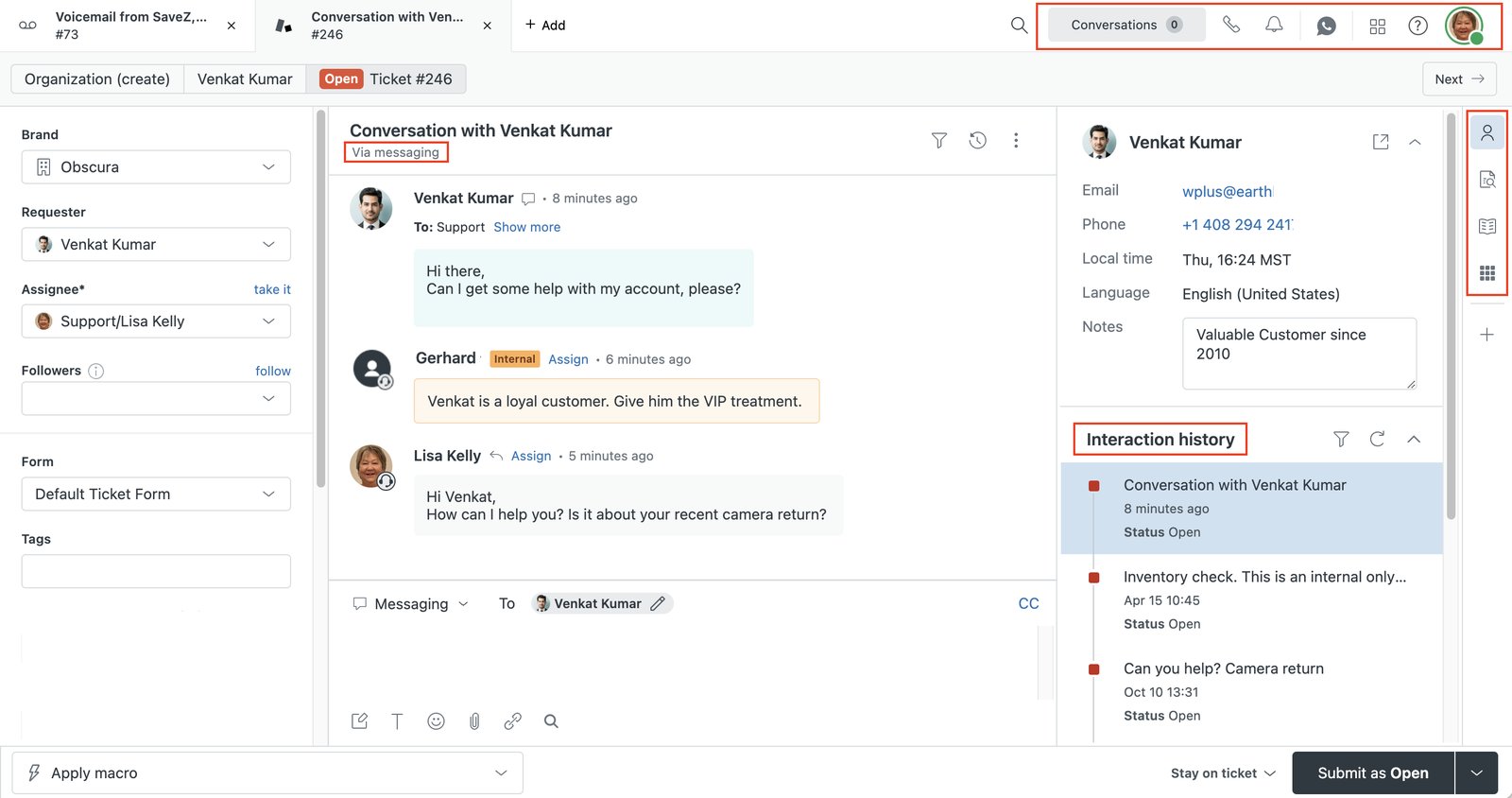
- messaging, live chat, telephony and AI agents included from Suite Team up
- 10 automated AI resolutions per agent per month on Suite Professional
- Copilot agent assist as a $50/agent/month add-on
- account data exports in JSON, CSV and XML on Professional and above
- 14-day trial of Suite Professional with Copilot included
Zendesk Suite is the pick for 25–150 agent teams that need deep routing, SLA management and reporting, and have someone whose job includes running the platform. Its strength is configurability. That’s also its weakness: without a dedicated admin, a 30-agent team spends more time managing configuration than using it.
2026 pricing: (verified on Zendesk’s pricing page ↗) Suite Team costs $55/agent/month and Suite Professional $115/agent/month, billed annually ($69 and $149 paid monthly). Suite Enterprise is now sold with Copilot and priced by sales. Professional includes 10 automated resolutions per agent per month; beyond that, committed resolutions cost $1.50 each and pay-as-you-go resolutions $2.00. Copilot is a $50/agent/month add-on, billed yearly. Zendesk’s WhatsApp documentation ↗ states Meta’s message fees are billed separately from Zendesk’s.
The add-on math is what changes the comparison. At 50 agents, Copilot alone adds $30,000 a year to a $69,000 Suite Professional subscription. Zendesk’s exports are a point in its favour if you ever leave: account exports ↗ come in JSON, CSV and XML on Professional and above, though not on Team. See how it stacks up head-to-head in Zendesk vs Freshdesk.
- Passed all three omnichannel test questions on Professional
- Voice included from Suite Team, not a separate product
- Clean data exports (JSON, CSV, XML) on Professional+
- Deep SLA, routing and reporting controls
- Copilot adds $50/agent/month on top of the seat
- Automated resolutions beyond allowance cost $1.50–$2.00 each
- Needs a dedicated admin to justify the price
- Enterprise tier has no public price
2. Freshdesk Omni: Best Value for SMB and Mid-Market Teams
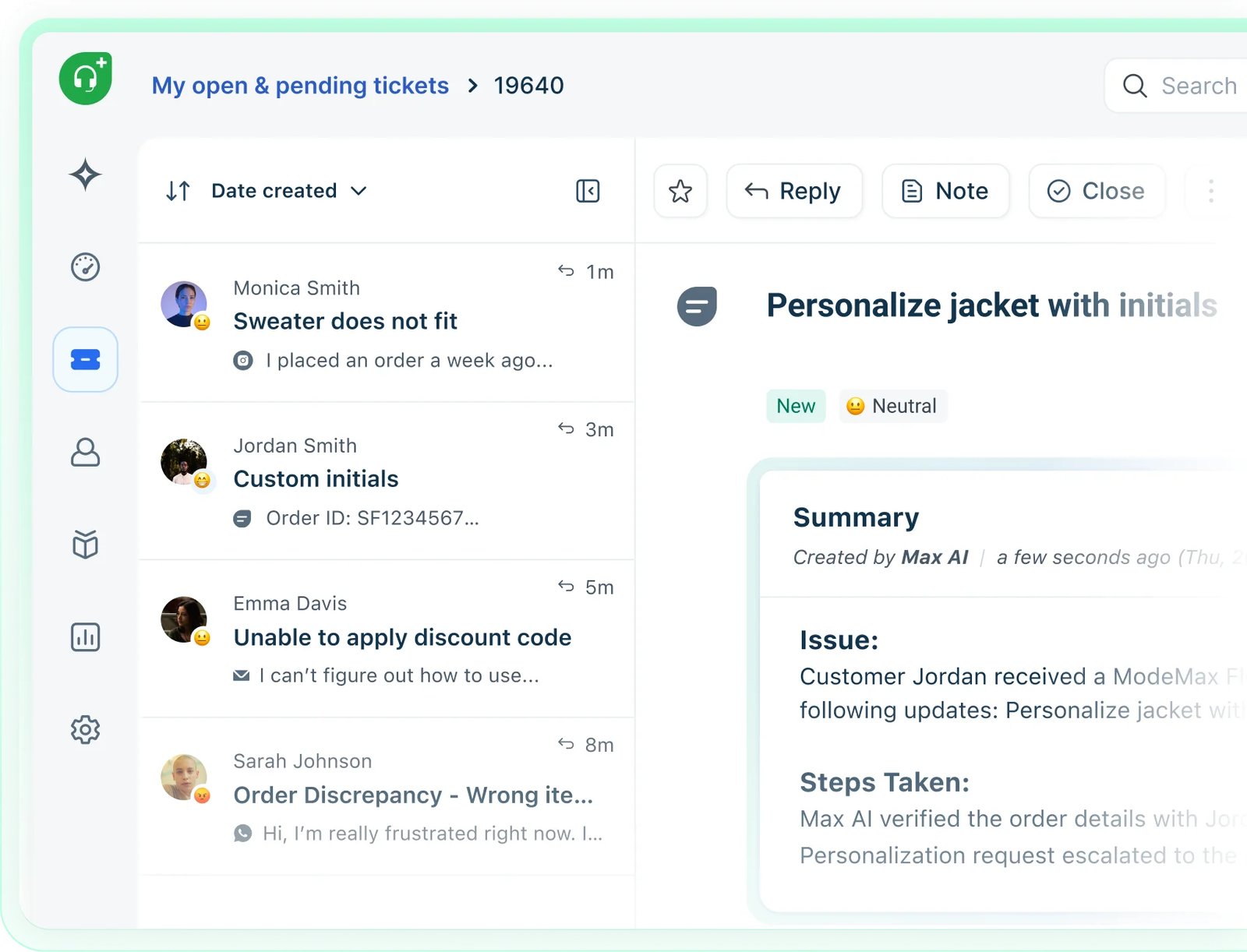
- 500 free Freddy AI Agent sessions per account on every plan
- Freddy AI Copilot on Pro and Enterprise ($29/agent/month)
- voice as a tiered add-on: $15, $39 or $69 per agent/month
- free Shopify app for order data in the agent view
- 14-day trial on the Enterprise plan
Freshdesk Omni is the bundle that puts Freshdesk’s ticketing, chat and messaging in one workspace. It’s the strongest value pick for teams under 150 agents that don’t need Zendesk’s configuration depth. Note that it’s priced above the email-and-ticketing Freshdesk plans covered in our helpdesk software roundup, so compare like for like.
2026 pricing: (verified on Freshworks’ pricing page ↗) Growth $29, Pro $79 and Enterprise $119 per agent/month, billed annually. Our April 2026 check showed Pro at $69 and Enterprise at $109. Every account gets 500 free AI Agent sessions once, then pays $49 per 100 sessions; a chat session lasts 24 hours and an email session covers a 72-hour window. Copilot costs $29/agent/month annually ($35 monthly) on Pro and Enterprise. Voice is a separate add-on at $15, $39 or $69 per agent/month plus call rates. Per Freshworks’ WhatsApp pricing article ↗, WhatsApp is billed per message with a 20% markup on Meta’s cost.
The plan gap to watch is routing. In our evaluation, cross-channel routing that passes the third omnichannel test needs Enterprise, and moving from Pro to Enterprise is a 51% jump per agent ($79 to $119). Budget for that if your team is likely to need it within the contract term. For DTC brands, the free Shopify app ↗ puts order data in front of agents without middleware.
- Lowest per-agent price among the ticket-first platforms here
- 500 free AI Agent sessions before any AI charge
- Copilot at $29, versus Zendesk's $50
- Free Shopify app for ecommerce teams
- Cross-channel routing needs Enterprise at $119/agent
- AI Agent sessions cost $49 per 100 once the free 500 are used
- Voice is a separate per-agent add-on
- 20% markup on Meta's WhatsApp fees
3. Kustomer: Best for High-Volume Ecommerce Built Around the Customer
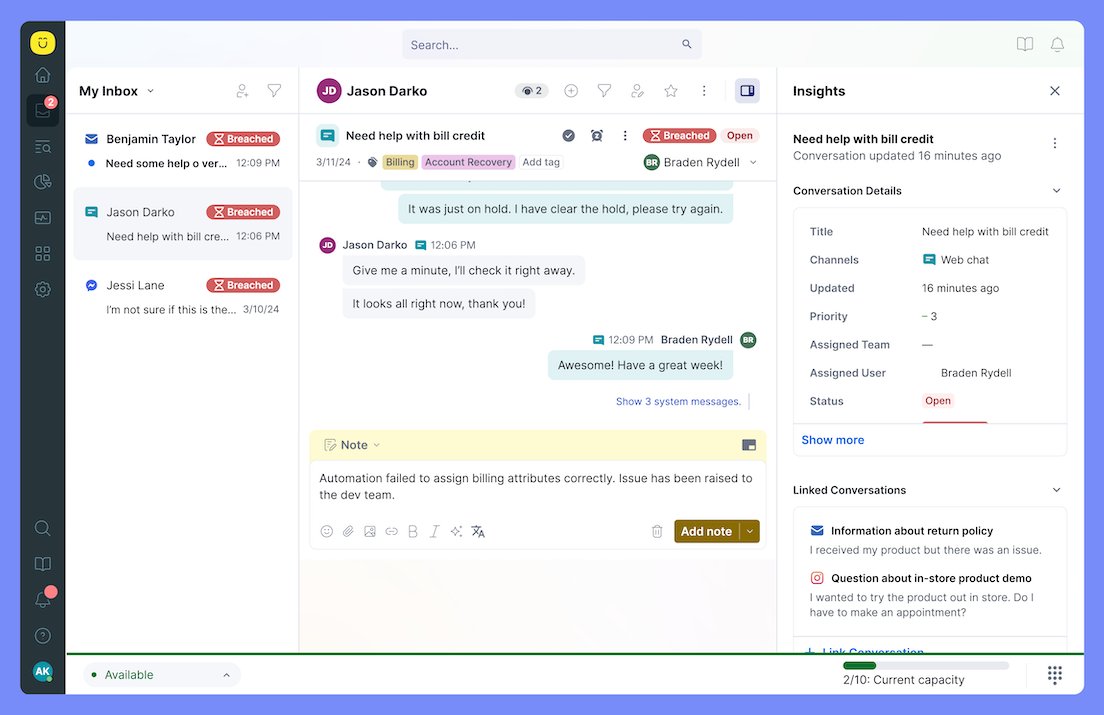
- one customer timeline across every channel, instead of separate tickets
- Concierge AI agent at $0.75 per engaged conversation
- Envoy AI agent assist at $50/user/month
- native voice from $0.02/minute
- HIPAA add-on at $25/user/month
Kustomer is built around the customer rather than the ticket, which is why it passed all three questions in our omnichannel test. Every email, chat, call and message sits on one timeline. That makes it a strong fit for ecommerce and consumer brands with repeat customers who switch channels often.
2026 pricing: (verified on Kustomer’s pricing details page ↗) Kustomer no longer publishes a seat price. Its current Enterprise and Ultimate plans are both “talk to sales”, and the main pricing page is an ROI calculator. The published add-on rates are specific, though: Concierge AI agent $0.75 per engaged conversation, Envoy AI agent assist $50/user/month, HIPAA $25/user/month, voice from $0.02/minute, data storage $50/GB/month, and WhatsApp at Meta’s fee plus a 20% Kustomer per-message fee. Implementation may require a statement of work and a fee.
The trade-off is the migration path. Moving between a customer-object platform like Kustomer and a ticket-object platform like Zendesk or Freshdesk means restructuring data, so treat the switch as a project, not an export. Compare the two models in Zendesk vs Kustomer.
- Passed all three omnichannel test questions
- Single customer timeline across channels
- Published per-use AI and voice rates
- HIPAA available as a priced add-on
- No published seat price; quote required
- No self-serve trial, demo only
- Implementation may need a paid statement of work
- Data restructuring needed when migrating from ticket-based tools
4. Salesforce Service Cloud: Best for Enterprises Already on Salesforce
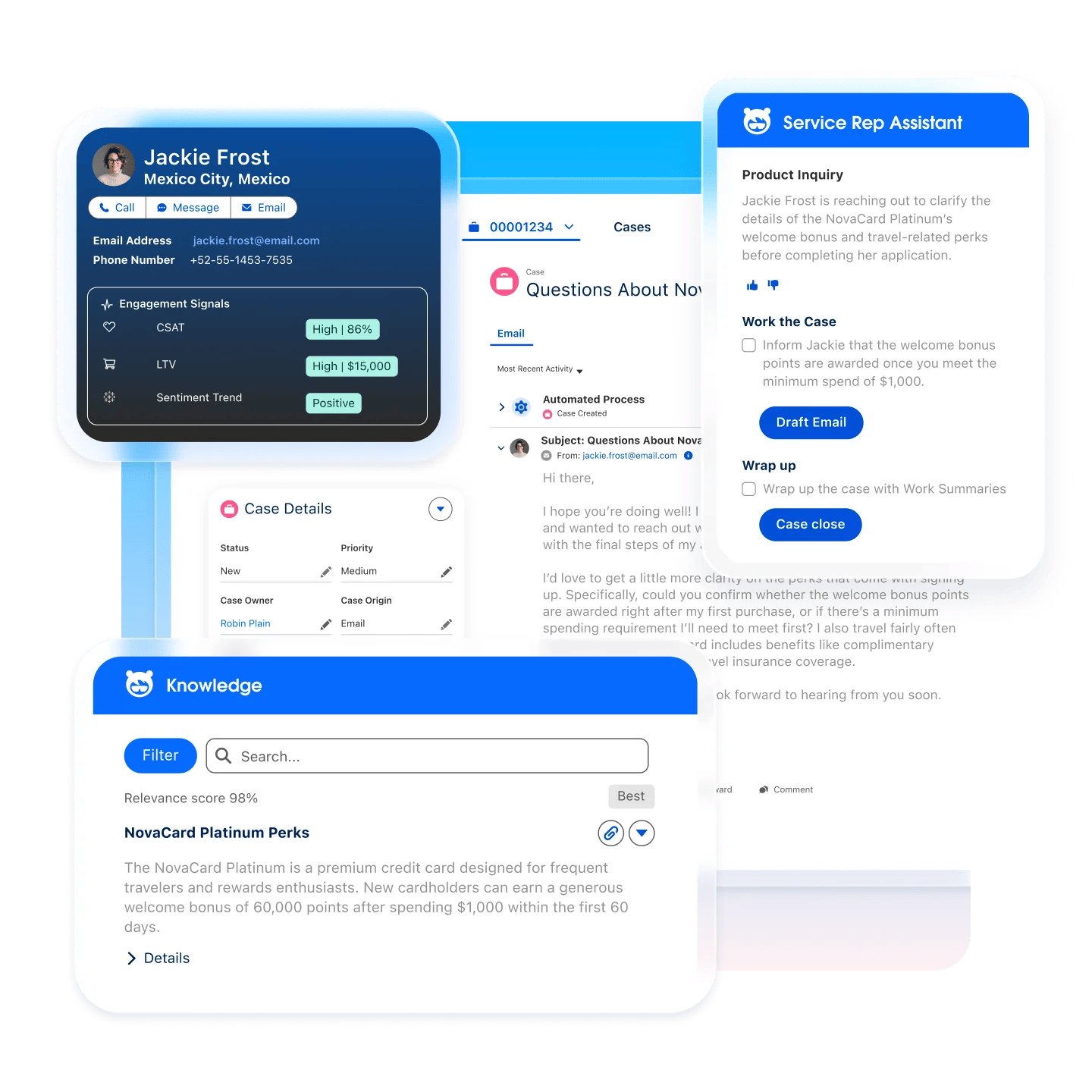
- Core, Advanced and Max editions (Core replaced Enterprise Edition)
- web chat included in Core; other digital channels via Enhanced Messaging
- Agentforce AI with 500,000 Flex Credits per org per year on Core
- Premier Success plan included with Core, Advanced and Max
- Starter Suite ($25) and Pro Suite ($100) for smaller teams
Service Cloud makes sense when Salesforce is already your system of record. Support data lands on the same account and contact records sales uses, without a sync layer. For anyone not already on Salesforce, it’s the most expensive route to omnichannel in this guide.
2026 pricing: (verified on Salesforce’s pricing page ↗) Salesforce renamed its editions: Core at $195/user/month replaces Enterprise, Advanced at $395 replaces Unlimited, and Max at $550 replaces Agentforce 1, all billed annually. Core includes web chat; WhatsApp, SMS and other messaging channels come through Enhanced Messaging at an additional $75/user/month. Agentforce ↗ costs $2 per conversation or runs on Flex Credits at $500 per 100,000 credits, with a standard action using 20 credits. Core includes 500,000 credits per org per year. Premier Success is now included with Core and above.
At 50 agents, Core plus Enhanced Messaging is $13,500 a month, or $162,000 a year, before Agentforce usage. That’s why the edition you need for omnichannel, not the headline seat price, should anchor the budget. See Zendesk vs Salesforce Service Cloud for a direct comparison.
- Support data written straight to Salesforce CRM records
- Premier Success now included from Core
- Agentforce credits included with every edition
- Starter and Pro Suites for smaller teams
- Core at $195 is the highest entry price for a full edition here
- Messaging channels cost $75/user/month extra
- Credit-based AI pricing is hard to forecast
- Little reason to choose it without Salesforce CRM
5. HubSpot Service Hub: Best for Teams Consolidating CRM and Support
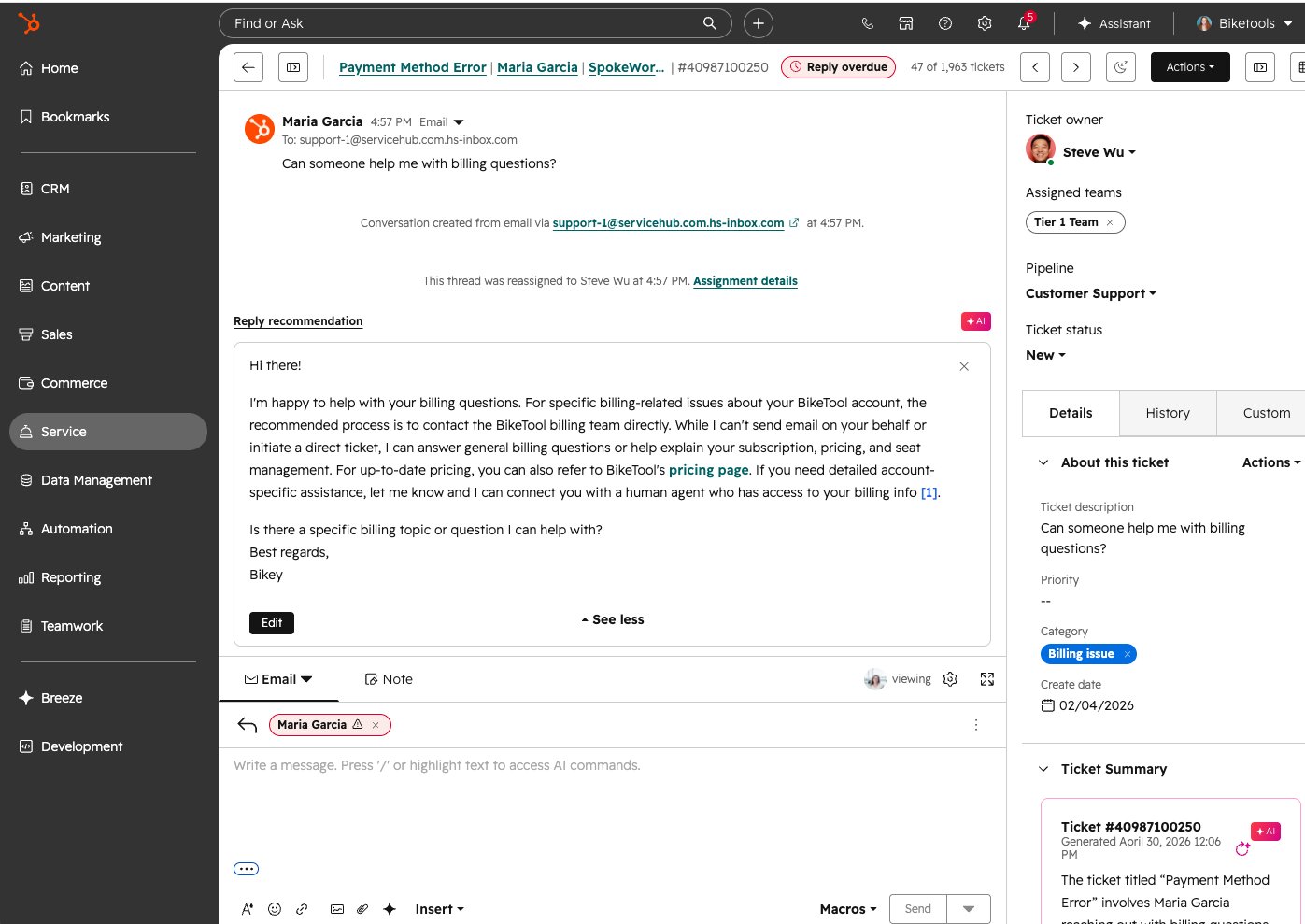
- help desk WhatsApp channel on Service Hub Professional and Enterprise
- Customer Agent AI running on HubSpot Credits ($0.010 per credit)
- 3,000 HubSpot Credits included on Professional, 5,000 on Enterprise
- free tier for up to 2 users
- support history on the same CRM record marketing and sales use
HubSpot Service Hub is the natural pick if your company already runs on HubSpot CRM. The consolidation value is real: support conversations, tickets and customer data live on the same record marketing and sales already use.
2026 pricing: (verified on HubSpot’s pricing page ↗) Professional starts at $90–$100/seat/month depending on payment schedule (the page shows both figures without labelling which applies to which), and Enterprise is $150/seat/month. Professional requires a one-time $1,500 onboarding fee; Enterprise onboarding is $3,500. AI runs on HubSpot Credits at $0.010 each, with 3,000 included on Professional. According to HubSpot’s help desk WhatsApp documentation ↗, connecting WhatsApp needs Service Hub Professional or Enterprise; an earlier version of this guide said it required Operations Hub, which is not the case.
The required onboarding fee is the line that most often surprises buyers comparing seat prices alone. It’s modest at $1,500, but it’s mandatory, so include it in year one. See Zendesk vs HubSpot Service Hub for the head-to-head.
- Support and CRM data on one record
- WhatsApp available in the help desk on Professional
- AI credits included with paid plans
- Free tier to start
- Required onboarding: $1,500 (Pro), $3,500 (Enterprise)
- Credit-based AI pricing needs monitoring
- Less value if your CRM isn't HubSpot
6. Intercom: Best for Product-Led SaaS and In-App Messaging
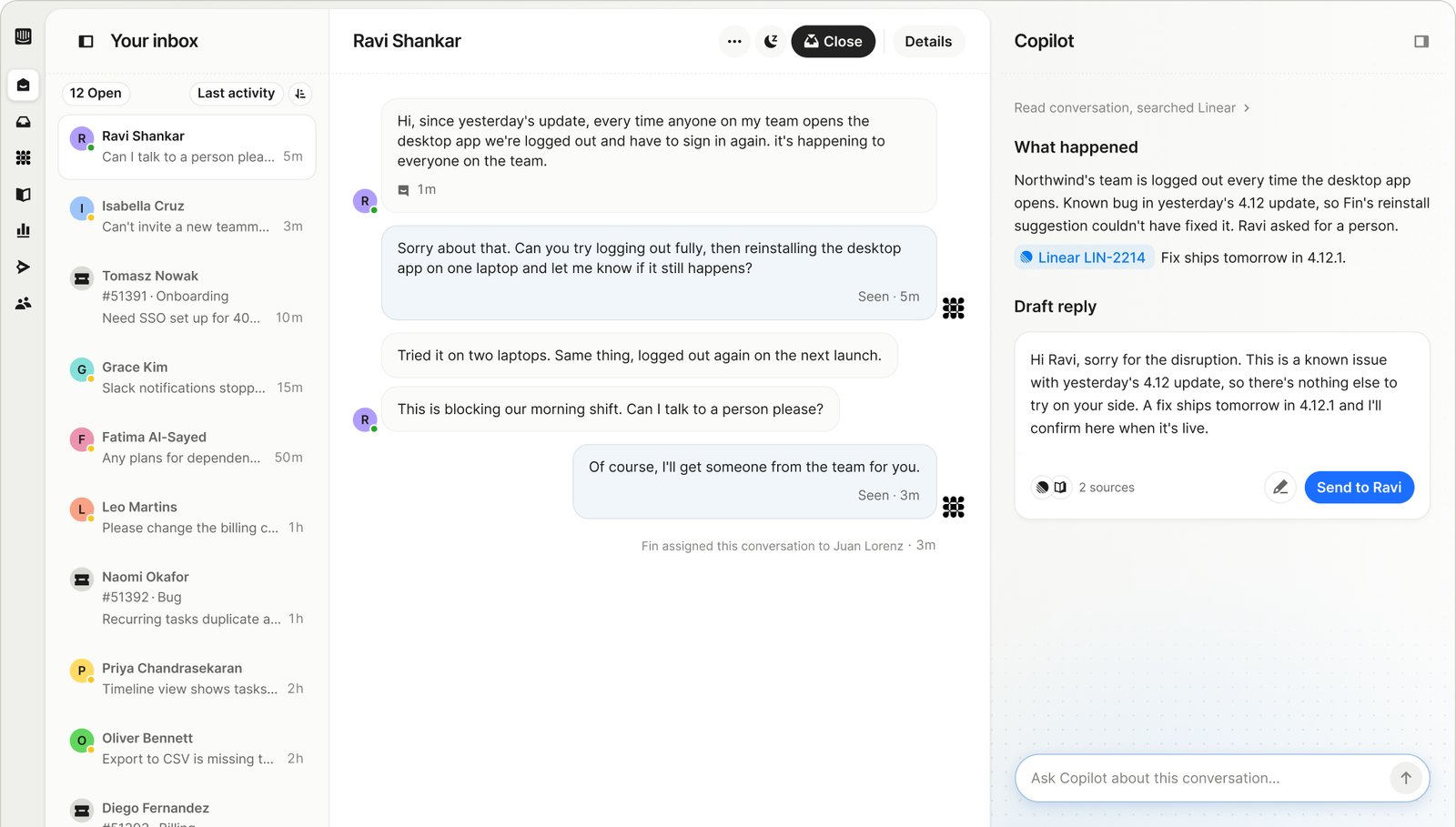
- Fin AI Agent at $0.99 per outcome
- Intercom Phone for native inbound and outbound calls, with IVR
- Copilot agent assist at $29/agent/month (annual)
- free Lite seats: 20 on Advanced, 50 on Expert
- 14-day free trial with no card, including Fin
Intercom is built for digital-first teams, especially SaaS companies that support customers inside their product. It passed all three omnichannel test questions for digital channels. It also now sells Intercom Phone ↗, a native phone product with IVR and inbound and outbound calling, so the old “no voice” objection no longer holds.
2026 pricing: (verified on Intercom’s pricing page ↗) Essential $29, Advanced $85 and Expert $132 per seat/month, billed annually; at the time of checking, Essential showed a new-customer price of $19. Fin AI Agent costs $0.99 per outcome (a resolution or similar handoff), per Fin’s pricing page ↗. Copilot is $29/agent/month annually or $35 monthly. WhatsApp and phone are usage-based on every plan, and Fin Voice costs $1.99 per voice outcome through sales.
The budgeting risk is that Fin’s cost moves with volume. At 2,000 Fin outcomes a month, that’s $1,980 a month in AI fees, and a product incident that spikes conversations spikes that line too. Intercom’s pricing page doesn’t publish an average resolution rate; the customer quotes on it range from 50% to about 79%, so ask for the rate on ticket types like yours. Compare it with Zendesk in Zendesk vs Intercom.
- Passed all three omnichannel test questions for digital channels
- Native phone now available (Intercom Phone)
- Pay-per-outcome AI, so no AI cost without results
- Free Lite seats on Advanced and Expert
- Fin costs rise with conversation volume, uncapped
- Phone and WhatsApp are usage-based, so harder to forecast
- Copilot is a separate per-agent charge
7. Genesys Cloud CX: Best for Voice-Heavy Enterprise Contact Centers
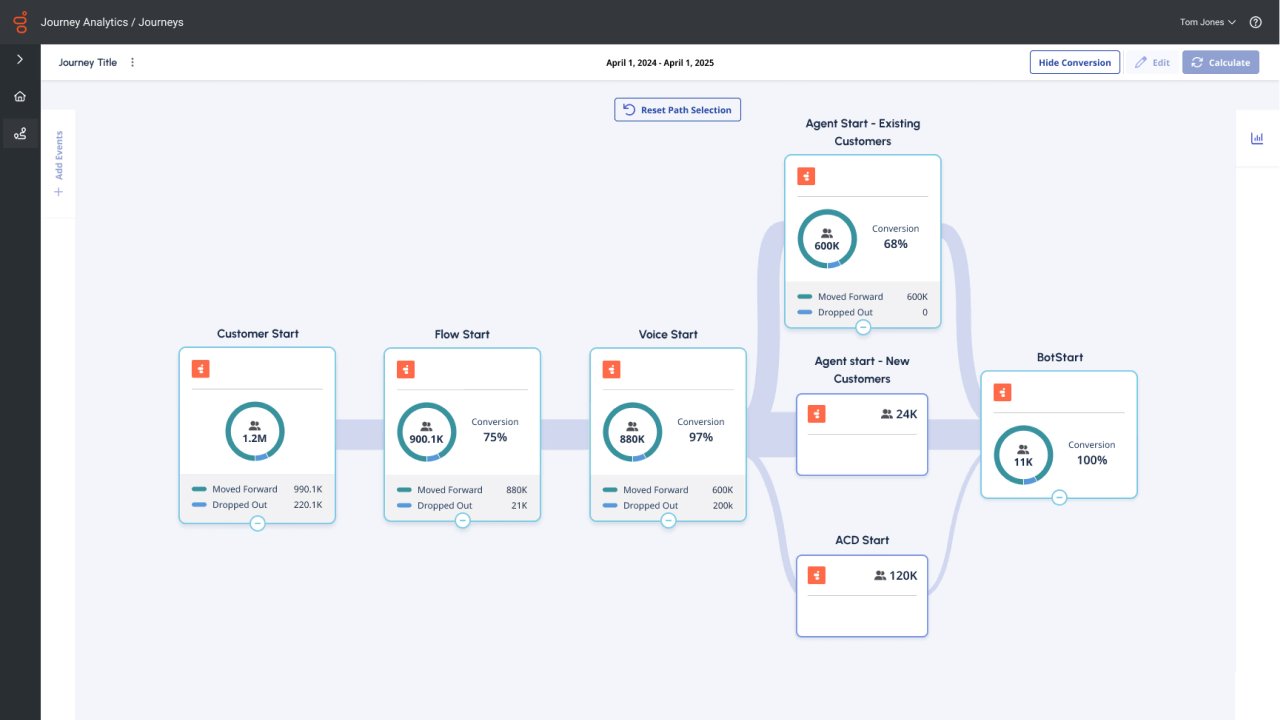
- native voice on every tier, digital channels from CX 2
- quality management and compliance tools from CX 2
- full workforce engagement management (WEM) on CX 3
- CX 4 adds Agent Copilot and 30 AI Experience tokens per named agent
- prices based on an annual commitment
Genesys Cloud CX is the pick when voice is more than about 40% of your volume and you run IVR, workforce management and quality programs at scale. It passed all three omnichannel test questions with voice included.
2026 pricing: (verified on Genesys’ pricing page ↗) CX 1 (voice only) $75, CX 2 (digital plus voice) $115, CX 3 (full WEM) $155 and the newer CX 4 $240 per user/month, all on an annual commitment. Genesys notes that usage-based pricing may apply, and virtual agents and other AI features consume AI Experience tokens; each org gets an allowance of tokens per month, and CX 4 includes 30 per named agent.
The real cost is implementation. Genesys rewards teams with in-house contact center architects; without them, its depth becomes complexity, and teams under about 100 agents rarely use enough of it to justify the step up from a helpdesk. See Zendesk vs Genesys Cloud CX and Five9 vs Genesys Cloud CX.
- Passed all three omnichannel test questions with voice
- Published per-user prices for every tier
- WEM and quality tools built in, not bolted on
- Digital channels start at CX 2 ($115)
- Usage and AI token charges on top of seats
- Implementation complexity for teams without contact center specialists
8. Talkdesk: Best for Mid-Market to Enterprise Voice Plus Digital
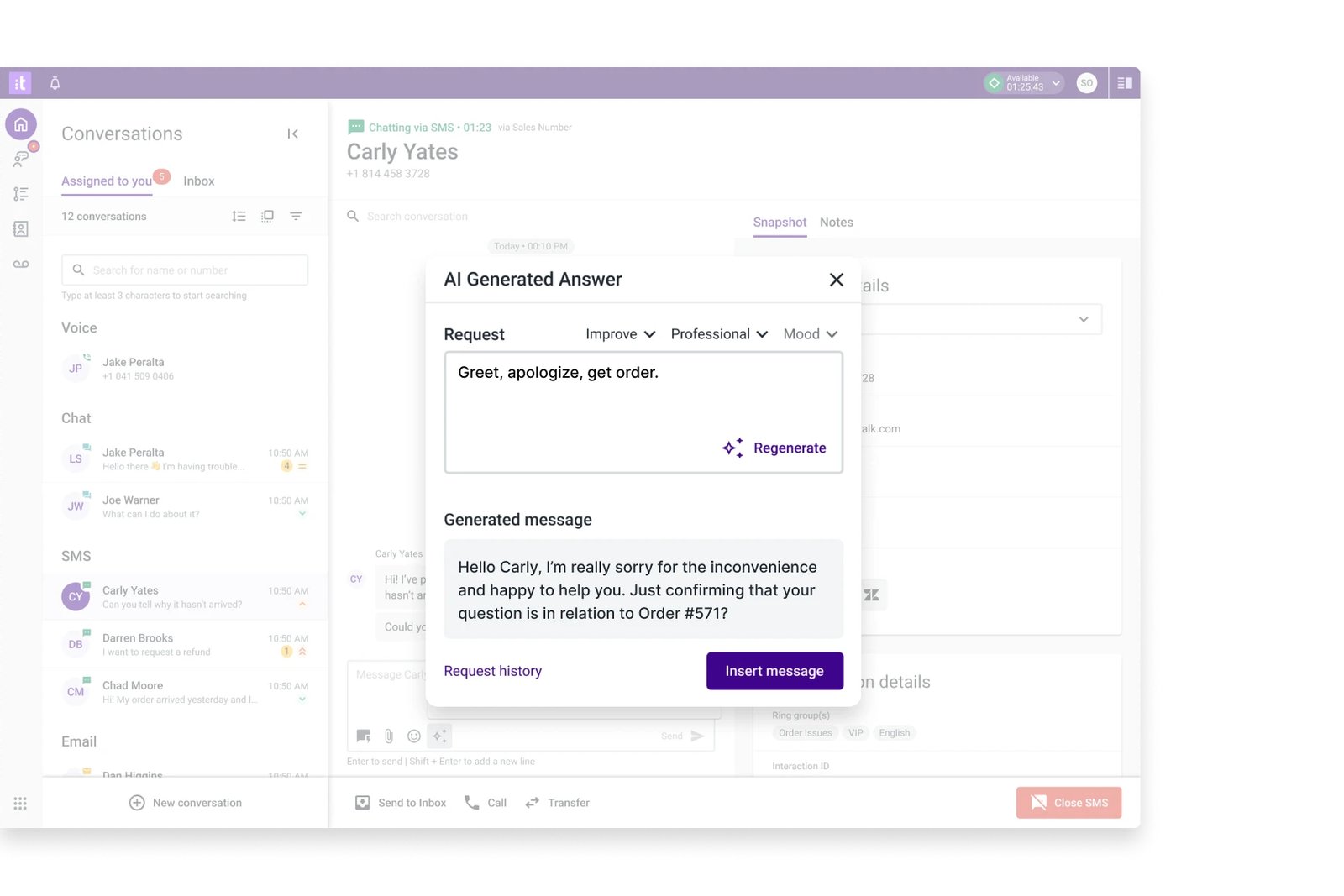
- Digital Essentials covers email, chat, SMS and social messaging
- Elite combines voice and digital channels
- Industry Experience Clouds at $225/user/month
- Talkdesk Express for US and Canadian businesses under 50 employees, with no contract
Talkdesk sits between a helpdesk and a full enterprise contact center. It suits mid-market and enterprise teams where digital is a growing share of volume but voice still matters. It passed all three omnichannel test questions with voice included; for that, you need Elite, since Digital Essentials and Voice Essentials each cover one side.
2026 pricing: (verified on Talkdesk’s pricing page ↗) Digital Essentials $85, Voice Essentials $105 and Elite $165 per user/month. Industry Experience Clouds cost $225/user/month. Talkdesk’s AI products (Copilot, Autopilot and others) are priced by sales, and the page doesn’t state a billing or contract term, so ask for both in writing.
Talkdesk Express is worth a look for smaller North American teams: it’s aimed at businesses under 50 employees and advertises no commitment or contract. Compare Talkdesk with alternatives in Zendesk vs Talkdesk and Talkdesk vs Five9.
- Passed all three omnichannel test questions with voice
- Industry-specific editions for regulated sectors
- No-contract Express option for small North American teams
- True omnichannel (voice plus digital) needs Elite at $165
- AI pricing not published
- Billing and contract terms not published
9. Respond.io: Best for Messaging-Led B2C Sales and Support
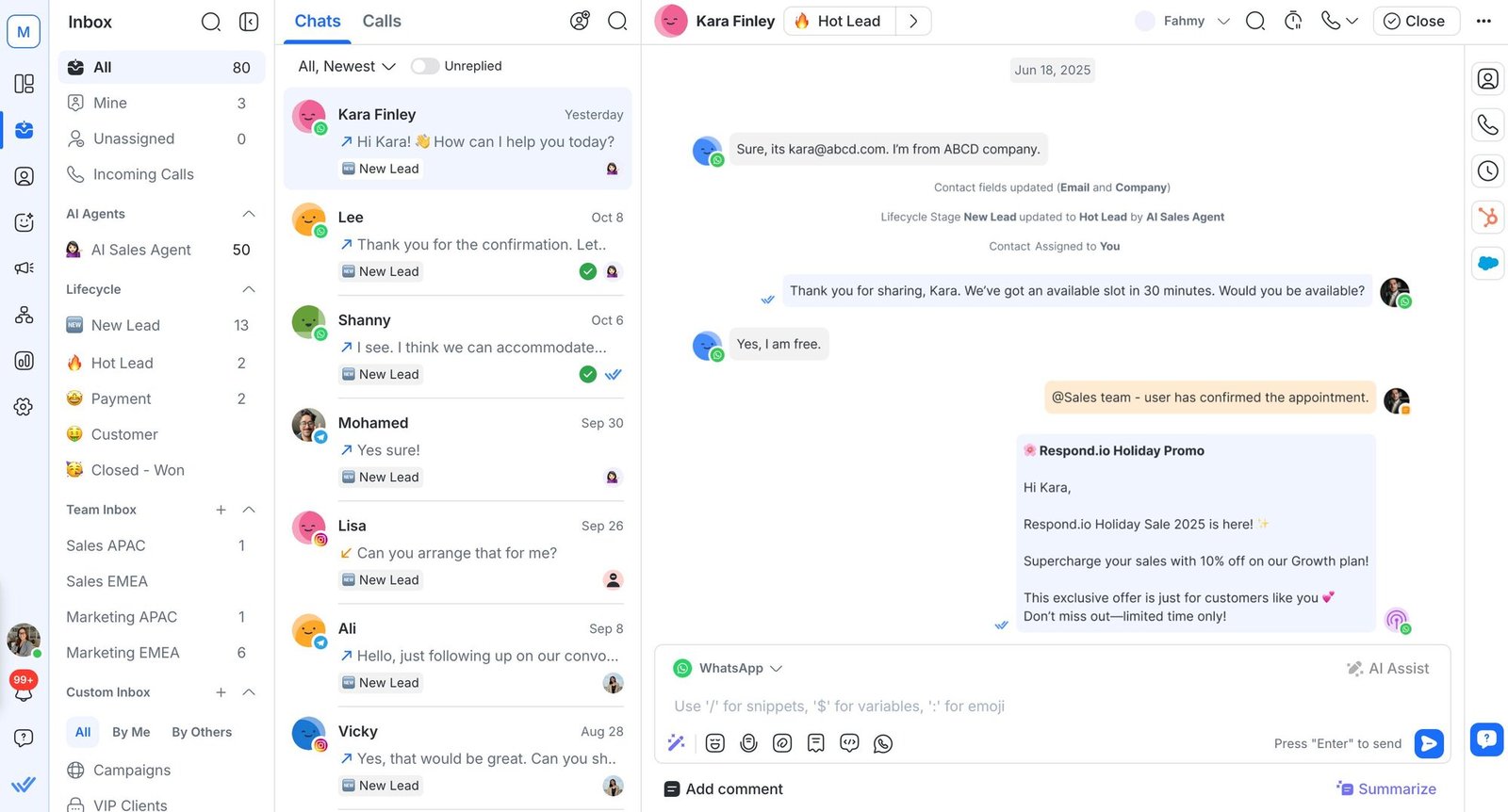
- WhatsApp, Instagram, TikTok, Facebook, email and calls in one inbox
- plan pricing with users included: 5 on Starter, 10 on Growth and Advanced
- AI Agents on Growth, Advanced and Enterprise
- AI credits included (5,000 to 40,000 by plan), $15 per 1,000 extra
- 7-day free trial with Growth features, no card required
Respond.io is a customer conversation platform for businesses whose customers chat before they buy or book. Its AI Agents can answer routine questions, qualify leads and route conversations to staff, which makes it a fit for mid-market B2C sales and support teams rather than ticket-heavy service desks.
2026 pricing: (verified on Respond.io’s pricing page ↗) Starter $79, Growth $159 and Advanced $279 per month billed annually ($99, $199 and $349 paid monthly). Starter includes 5 users; Growth and Advanced include 10 users and start at 1,000 monthly active contacts. Extra users cost $12 (Starter), $20 (Growth) or $24 (Advanced) per month, and extra contacts cost $12 (Growth) or $15 (Advanced) per 100. AI Agents need Growth or above. Extra AI credits cost $15 per 1,000, capped at 200% of the plan allowance. Meta bills WhatsApp message fees separately.
Because Respond.io prices by plan rather than per seat, it’s dramatically cheaper than seat-based platforms at the same headcount. At 50 users on Growth, the subscription is $11,508 a year at published rates, with the starting 1,000 monthly active contacts; higher contact tiers cost more. Its unified thread spans messages, email and supported calls, but test whether routing can use the customer history your team needs.
- Plan pricing with users included, not per seat
- Broad messaging coverage including TikTok and Instagram
- No platform markup on Meta's WhatsApp fees
- Hard cap on extra AI credit spending
- Starter excludes AI Agents and workflow automation
- Costs rise with monthly active contacts
- Not a fit for complex IVR or enterprise contact center needs
10. Front: Best for B2B Teams Working From Shared Inboxes
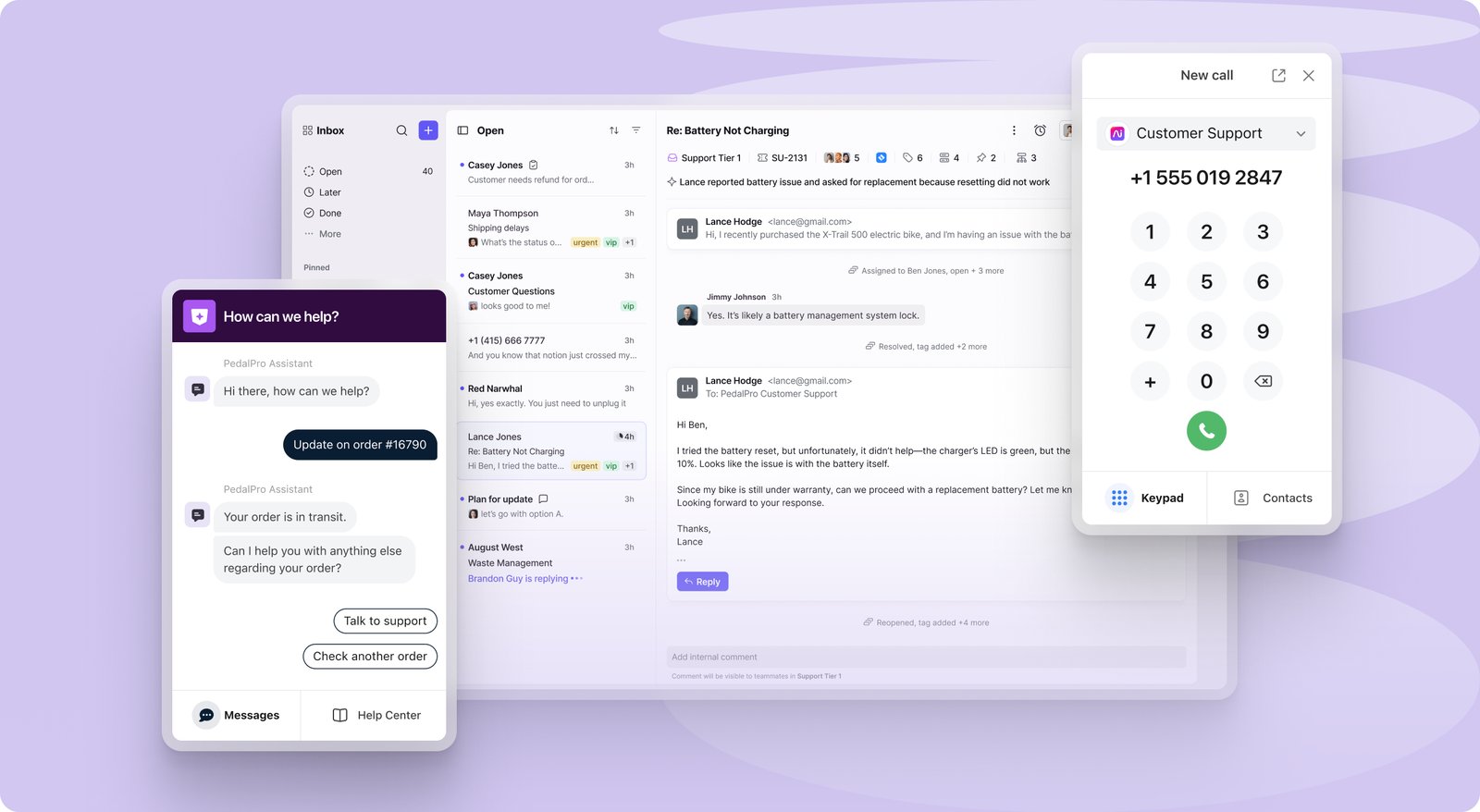
- email, SMS, social and WhatsApp in shared inboxes from Professional up
- Copilot at $20/seat/month (included on Enterprise)
- Autopilot AI from $0.05 per conversation
- phone through Aircall and Dialpad integrations, not natively
- 14-day free trial
Front is built for teams that already run customer communication out of shared email inboxes, such as B2B account management, logistics and operations teams, and want to add SMS, social and WhatsApp without moving to a ticket queue. It was added in November 2026 and is assessed on its published pricing and documentation.
2026 pricing: (verified on Front’s pricing page ↗) Starter $25 (up to 10 seats, one channel type), Professional $65 (up to 50 seats, omnichannel) and Enterprise $105 per seat/month, billed annually. Copilot is a $20/seat/month add-on on Starter and Professional and included on Enterprise. Autopilot starts at $0.05 per conversation. Native WhatsApp is a paid add-on on Professional and Enterprise, billed at Meta’s rates plus a 20% admin fee.
The deal-breaker is voice. Front has no native phone; calls come through integrations like Aircall or Dialpad, which means a second subscription and a second admin console. For teams where phone is under about 20% of volume, that’s an acceptable trade for the lowest omnichannel seat price in this guide.
- Lowest omnichannel seat price here ($65 on Professional)
- Familiar shared-inbox workflow for email-heavy teams
- Low-cost Autopilot AI per conversation
- No native voice; needs Aircall, Dialpad or similar
- Starter limited to one channel type and 10 seats
- Professional caps at 50 seats
- 20% admin fee on Meta's WhatsApp rates
Which platform fits your team size? (Under 25, 25–150, 150+ agents)
A 15-agent DTC brand and a 200-seat insurance contact center are not the same buyer. Treating them identically produces a list that’s useful to nobody.
Under 25 agents: the SMB decision
Winner for messaging-led B2C teams: Respond.io Growth. At $159/month billed annually, it includes 10 users and 1,000 monthly active contacts. A 15-user team adds 5 users at $20 each and pays $259/month before extra contacts and Meta’s WhatsApp fees.
Winner for helpdesk-style support: Freshdesk Omni Pro. A 15-agent team pays $1,185/month at $79/agent, versus $1,725/month on Zendesk Suite Professional. Front Starter is cheaper still at $25/seat, but it’s limited to one channel type, so most omnichannel teams need Professional at $65.
Runner-up: HubSpot Service Hub, but only if the team already uses HubSpot CRM. Budget the required $1,500 onboarding fee into year one.
25–150 agents: the mid-market decision
Winner: Zendesk Suite Professional at $115/agent/month, but only if the team has a dedicated admin. Its routing, SLA management and reporting depth are the edge. A 50-agent team with no one to run it pays for capability it won’t use.
Strong alternative: Intercom, when chat, email and in-app messaging are the large majority of volume. Run the Fin math before you sign: at 2,000 Fin outcomes a month, AI fees are $1,980/month on top of seats.
Deal-breaker at this tier: Salesforce Service Cloud Core without Enhanced Messaging is not omnichannel for messaging apps. Adding it at $75/user/month takes 50 agents from $9,750 to $13,500 a month before Agentforce usage.
Alternative for B2C businesses: Respond.io, when WhatsApp, Instagram, TikTok, Messenger and email drive inquiries and sales.
150+ agents: the enterprise decision
Winner: Genesys Cloud CX if voice is more than about 40% of volume, Talkdesk Elite if digital is the larger share. Both have native IVR, workforce management and call routing, not bolt-ons.
Non-negotiable at this scale: implementation. Genesys, Talkdesk, Kustomer and Zendesk all sell professional services or implementation separately, and most don’t publish the price. Get a fixed-scope statement of work before you compare totals.
Deal-breaker: Freshdesk Omni, HubSpot, Front and Respond.io wouldn’t be my first choices for a 150+ agent contact center with complex IVR trees and multi-region compliance requirements. At this scale, start from the contact center capabilities the operation needs.
Where the real money hides: WhatsApp fees, AI add-ons and onboarding
Three cost lines separate the pricing page from the invoice. None of them appear in a seat-price comparison.
WhatsApp Business Platform: the most misunderstood line item
Meta moved WhatsApp to per-message pricing on July 1, 2025. According to Meta’s WhatsApp pricing documentation ↗, from October 1, 2026 the North America rates are $0.025 per marketing message and $0.0034 per utility, authentication or service message. Service messages are no longer fully free: each business phone number gets 1,000 free service messages a month, and charges start at the 1,001st.
Platforms then handle Meta’s fee differently. Freshworks, Kustomer and Front add 20% on top. Respond.io and Zendesk pass Meta’s fees through separately. Salesforce charges $75/user/month for Enhanced Messaging before any message fees.
Worked example: a team sending 10,000 marketing messages a month in the US pays $250/month in Meta fees, or $3,000 a year. With a 20% platform markup, that’s $300/month, or $3,600 a year, for a channel many buyers assume is included.
AI add-ons: what “included AI” actually means
“AI-powered” appears in every platform’s marketing. The pricing models are completely different:
- Per agent: Zendesk Copilot $50, Kustomer Envoy $50, Freshdesk Copilot $29, Intercom Copilot $29, Front Copilot $20 (per agent or seat per month).
- Per outcome or conversation: Intercom Fin $0.99 per outcome, Kustomer Concierge $0.75 per engaged conversation, Salesforce Agentforce $2 per conversation, Zendesk automated resolutions $1.50–$2.00 beyond the allowance, Front Autopilot from $0.05 per conversation.
- Sessions or credits: Freshdesk AI Agent $49 per 100 sessions after 500 free, HubSpot Credits at $0.010 each, Respond.io credits at $15 per 1,000 extra, Genesys AI Experience tokens.
When a vendor says “AI is included,” ask: which AI, on which tier, and what does the next unit cost once the allowance runs out?
Required onboarding: the fee you pay to start
HubSpot is the clearest: Service Hub Professional requires a one-time $1,500 onboarding fee, and Enterprise $3,500. Zendesk lists Premier plans and professional services as add-ons without a public price. Kustomer says implementation may require a statement of work and a fee. Genesys and Talkdesk price implementation through sales. Ask whether onboarding is mandatory and whether it’s in the contract total.
What does an omnichannel platform cost for a 50-agent team in 2026?
Here’s what 50 agents cost for 12 months at list price on each platform’s omnichannel-capable plan, with the most common add-on. These are illustrative calculations from published prices, not quotes; usage fees (WhatsApp messages, voice minutes, AI per outcome) come on top.
| Platform | Plan | Seats (year) | Add-on in example | Year-one total |
|---|---|---|---|---|
| Respond.io | Growth (10 users) + 40 users | $1,908 + $9,600 | None (contact tier extra) | $11,508 |
| Front | Professional, $65 | $39,000 | Copilot $12,000 | $51,000 |
| HubSpot Service Hub | Professional, $90–$100 | $54,000–$60,000 | Onboarding $1,500 | $55,500–$61,500 |
| Freshdesk Omni | Pro, $79 | $47,400 | Copilot $17,400 | $64,800 |
| Intercom | Advanced, $85 | $51,000 | Copilot $17,400 | $68,400 + Fin |
| Genesys Cloud CX | CX 2, $115 | $69,000 | None (usage extra) | $69,000 |
| Zendesk Suite | Professional, $115 | $69,000 | Copilot $30,000 | $99,000 |
| Talkdesk | Elite, $165 | $99,000 | AI priced by sales | $99,000 |
| Salesforce Service Cloud | Core, $195 | $117,000 | Enhanced Messaging $45,000 | $162,000 |
| Kustomer | Enterprise | Quote only | Envoy $30,000 if added | Quote |
Respond.io’s extra-user price is listed without saying whether it changes on annual billing, so treat that row as an estimate. Add usage on top of every row. With 10,000 US marketing messages a month, WhatsApp adds $3,000–$3,600 a year depending on markup. If Intercom’s Fin handles 2,000 outcomes a month, it adds $23,760 a year.
Renewals matter as much as year one. A 7% uplift on a $100,000 contract is $7,000 in year two, and it compounds. Ask for a renewal cap in writing before you sign.
What does it cost to switch platforms later?
Buyers underestimate switching costs, then discover mid-contract that moving their data is more work than staying on a platform they dislike. The first thing to check before recommending any platform: what does it cost to leave? The vendor that’s cheapest to enter and most expensive to exit wins by default.
Export formats. Zendesk’s account exports come in JSON, CSV and XML on Suite Professional and above, but not on Suite Team, and the account owner has to ask Support to enable them. Ask every other vendor the same question in writing: which formats, which plans, and whether attachments and conversation history are included.
Data model. Customer-object platforms (Kustomer) and ticket-object platforms (Zendesk, Freshdesk) store history differently. Moving between them means restructuring data, not just exporting it, so budget migration time accordingly. Moves between two ticket-based platforms are generally the simplest.
Channels and workflows. WhatsApp numbers, social accounts and phone numbers need to be reconnected or ported. Automations, routing rules, macros and AI agent training don’t transfer between vendors, so include rebuilding them in the migration scope. If you’re considering Respond.io or Front, ask which contacts, conversation history, attachments and channel connections can be moved in, and what stays accessible to agents after the move.
Which platform fits six specific business profiles?
Not just company sizes. Industry plus size plus use case.
1. DTC ecommerce brand, 20 agents, Shopify-native: Freshdesk Omni Pro at $79/agent. The free Shopify app puts order data in the agent view. If phone support matters, add the voice add-on ($39/agent on Pro).
2. B2B SaaS company, 50 agents: Salesforce Service Cloud Core ($195/agent plus $75 Enhanced Messaging) if Salesforce is the system of record. If you’re on HubSpot CRM, HubSpot Service Hub Professional. If your team works from shared email inboxes and phone is a small share of volume, Front Professional at $65/seat.
3. Healthcare provider, 75 agents, HIPAA required: Kustomer sells a HIPAA add-on at $25/user/month, and Salesforce’s Health Cloud ↗ starts at $350/user/month (Sales & Service Core). Whichever you shortlist, ask for a signed BAA and confirm in writing which channels it covers. Our guide to omnichannel customer service covers the wider workflow.
4. Financial services, 200 agents, high-volume voice plus digital: Genesys Cloud CX 2 at $115/agent, or CX 3 at $155 if you need full workforce engagement management. Native IVR and voice at enterprise scale, with digital channels on the same platform.
5. Marketplace platform, 500+ agents, 24/7 global operations: Zendesk Suite Enterprise or Kustomer, both priced by sales at this scale. Run the three-question test on a real cross-channel customer journey before negotiating.
6. Mid-market B2C business with high-volume sales and booking inquiries: Respond.io, for teams whose customers often chat before buying or booking. Evaluate Growth or above if you need AI Agents, and check that your CRM integrations and follow-up workflows are supported on that plan.
Five questions to ask before signing
1. “Is onboarding mandatory, and is it in the contract total?” HubSpot’s $1,500–$3,500 is required. Zendesk, Kustomer, Genesys and Talkdesk price professional services separately and usually don’t publish the figure.
2. “What will WhatsApp and SMS cost per message, including your markup?” A 50,000-message US marketing campaign costs $1,250 in Meta fees alone, or $1,500 on a platform that adds 20%.
3. “What AI resolution rate should we expect on our ticket types?” Vendors quote customer results, not averages. Intercom’s pricing page quotes customers at 50% and about 79%. Ask for results from customers in your industry, then model your cost at half that rate.
4. “What triggers a mandatory plan upgrade?” Freshdesk Omni’s cross-channel routing needs Enterprise, a 51% jump per agent from Pro. Front Starter is capped at 10 seats and one channel type, and Professional at 50 seats.
5. “Is there an annual price cap in the contract?” Unless the renewal increase is capped in the agreement, assume it can rise. Get the cap in writing.
What should you look for beyond the channel count?
I care less about which channels a platform supports and more about whether the agent workspace makes switching between them invisible. If an agent opens four browser tabs to handle one customer, the platform has failed.
Unified conversation history, not just a unified inbox. Does a WhatsApp thread and an email thread appear as one customer record, or two separate tickets? Kustomer and the CRM-native platforms build around the customer; Zendesk and Freshdesk build around tickets. Both work, but the difference shows up as a team grows.
Routing sophistication. Basic: assign by availability. Intermediate: assign by skill or tag. Advanced: assign by customer value, predicted issue type or sentiment. Under 25 agents, basic works. Over 50 with mixed voice and digital, you need skills-based routing at minimum. Genesys, Talkdesk and Salesforce lead here.
All channels in one workspace. This is the definition of omnichannel that matters operationally: voice, email, chat, WhatsApp, SMS and social messages in one agent view. Genesys, Talkdesk, Kustomer and Zendesk Suite deliver this natively. Front and Respond.io cover digital channels in one inbox, with voice by integration or supported calls.
CRM data writeback. Salesforce Service Cloud and HubSpot Service Hub write support data to CRM records natively, because they share the CRM’s database. Every other platform depends on an integration. If that integration runs through Zapier, its Team plan starts at $69/month for 2,000 tasks and reaches $599/month at 100,000 tasks, billed annually (Zapier pricing ↗).
Channel-level SLAs. Different targets per channel (for example, WhatsApp within 2 hours, email within 4) aren’t available on every plan. Verify this on the exact tier you’re evaluating, not the platform in general.
Native voice at digital parity. Genesys, Talkdesk, Zendesk Suite (telephony from Suite Team), Intercom (Intercom Phone) and Kustomer offer native voice. Freshdesk sells voice as an add-on. Front relies on integrations. For teams where phone is more than about 20% of volume, this narrows the field quickly.
One reason I would NOT recommend each platform
Real procurement means knowing what disqualifies a platform for your situation, not just what it does well.
Zendesk: It needs a dedicated admin to realize its value. A 30-agent team with no Zendesk specialist spends more time managing configuration than using it.
Freshdesk Omni: Cross-channel routing needs Enterprise. A team that outgrows Pro mid-contract faces a 51% per-agent increase, and AI Agent sessions cost $49 per 100 once the free 500 are used.
Kustomer: No published seat price and no self-serve trial. You can’t model the cost without a sales process.
Salesforce Service Cloud: Messaging channels need Enhanced Messaging at $75/user/month on top of a $195 Core seat. At 50 agents, that’s $45,000 a year in add-on fees alone.
HubSpot Service Hub: The required onboarding fee and credit-based AI make year one harder to compare, and much of the value depends on already using HubSpot CRM.
Intercom: Fin is billed per outcome with no cap, so a product incident or volume spike raises the AI bill in the same month.
Genesys Cloud CX: Implementation complexity puts it out of reach for teams under about 100 agents without in-house contact center architects.
Talkdesk: Billing terms and AI pricing aren’t published, so you need a full quote before you can compare it.
Respond.io: The $79 Starter plan doesn’t include AI Agents or workflow automation. If those are central, budget for Growth or above, additional users and the right contact tier.
Front: No native phone. If voice matters, you’re paying for and managing a second system.
Glossary: omnichannel platform terms
| Term | What it means |
|---|---|
| Omnichannel | All channels feed one customer record and timeline, so context carries across a channel switch. |
| Multichannel | Several channels are supported, but each keeps its own history or inbox. |
| Per-message pricing | Meta's WhatsApp model since July 2025: each delivered template message is charged by category (marketing, utility, authentication, service). |
| Monthly active contact (MAC) | A contact who interacts with your business in a given month; Respond.io prices plans partly on this. |
| Automated resolution / outcome | A conversation an AI agent closes without a human; the unit Zendesk and Intercom bill AI on. |
| Copilot | AI that assists human agents (drafting replies, summaries, suggestions), usually priced per agent. |
| Skills-based routing | Assigning conversations to agents by skill, language or customer attributes rather than availability alone. |
| IVR | Interactive voice response: the phone menu that routes callers before they reach an agent. |
| WEM | Workforce engagement management: forecasting, scheduling, quality and performance tools for contact centers. |
| BAA | Business associate agreement: the contract a US healthcare organization needs before a vendor handles protected health information. |
Looking for omnichannel marketing software instead, such as email and SMS journeys or abandoned-cart flows? That’s a different category; see our guide to the best email marketing software. For pure chat or phone tools, see the best live chat software and best call center software.
Software that brings customer conversations from email, chat, voice, SMS, WhatsApp and social media into one agent workspace with a single customer history. Unlike multichannel tools that keep each channel in its own inbox, an omnichannel platform shows every interaction on one timeline, so context carries over when a customer switches channels. Multichannel means you support several channels, but each operates independently with its own history. Omnichannel means the channels are unified, so agents see full context across every touchpoint and routing can use that history. Our omnichannel vs multichannel guide covers the difference in detail. Seat-based platforms in this guide range from $25/seat/month (Front Starter) to $550/user/month (Salesforce Service Cloud Max) on annual billing, with most omnichannel-capable plans between $65 and $195. Respond.io prices by plan instead, from $79/month for 5 users. Add WhatsApp message fees, AI add-ons and onboarding before comparing totals. Yes. Meta charges per message: from October 1, 2026, US marketing messages cost $0.025 each and utility, authentication and service messages $0.0034, with 1,000 free service messages per business phone number per month. Some platforms add a markup (Freshworks, Kustomer and Front add 20%), and Salesforce requires its $75/user/month Enhanced Messaging add-on. The three most common are WhatsApp and SMS message fees plus any platform markup, AI add-ons or usage charges (per agent, per outcome or per credit), and onboarding or implementation fees. HubSpot's onboarding is mandatory; most other vendors price implementation through sales. For messaging-led B2C teams, Respond.io Growth: $159/month on annual billing for 10 users and 1,000 monthly active contacts, so a 15-user team pays about $259/month before extra contacts and message fees. For helpdesk-style support, Freshdesk Omni Pro at $79/agent/month: $1,185/month for 15 agents versus $1,725 on Zendesk Suite Professional. At list price with one common add-on, from about $51,000 (Front Professional with Copilot) to $162,000 (Salesforce Service Cloud Core with Enhanced Messaging) on seat-based platforms, or about $11,500 on Respond.io Growth. Zendesk Suite Professional with Copilot is $99,000. Usage fees for messages, voice and AI come on top, so request an itemized quote. No. Omnichannel customer service platforms handle inbound conversations and support across channels. Omnichannel marketing platforms send campaigns and automated journeys across email, SMS and push. Some vendors, like HubSpot, sell both as separate products. For marketing tools, see our best email marketing software guide.Frequently Asked Questions
What is an omnichannel communication platform?
What is the difference between omnichannel and multichannel?
How much does an omnichannel platform cost per month?
Does WhatsApp cost extra on omnichannel platforms?
What are the hidden fees in omnichannel platform contracts?
Which omnichannel platform is best for small teams under 25 agents?
What is the first-year cost for a 50-agent team?
Is omnichannel customer service software the same as omnichannel marketing software?
Final recommendation
Team size is the first filter. Under 25 agents: Respond.io for messaging-led B2C teams, Freshdesk Omni for helpdesk-style support. From 25 to 150 agents: Zendesk Suite if you have an admin, Freshdesk Omni if you don’t, Intercom if nearly all your volume is digital. Above 150 agents: the decision is contact center architecture, so start with Genesys Cloud CX or Talkdesk.
Buy something else when:
- Salesforce is your system of record: Salesforce Service Cloud, budgeted with Enhanced Messaging.
- HubSpot is your CRM: HubSpot Service Hub Professional, plus the $1,500 onboarding.
- Your customers are repeat buyers who switch channels constantly: Kustomer.
- Your team lives in shared email inboxes and phone is minor: Front.
Budget for WhatsApp message fees, AI add-ons and onboarding before presenting the total to finance. The two features that decide long-term value are unified conversation history and routing sophistication, not channel count.
Before you request a demo, narrow to two platforms using the team-size recommendations above. Then ask for a written quote, not a demo pricing slide, with channel fees, AI add-ons and onboarding itemized. That document is the truth. The pricing page is not.
How this guide was made: Researched and written by Kinjal Trivedi, SaaS and Technology Writer at GetOmnichannel. Platform evaluations come from Kinjal’s hands-on testing of the original nine platforms. Prices, plan limits and fees come from each vendor’s pricing page and help documentation and from Meta’s WhatsApp pricing documentation, all linked in the text and checked on November 1, 2026. The first-year cost tables are illustrative calculations at list price.
 Your information is encrypted and kept secure.